

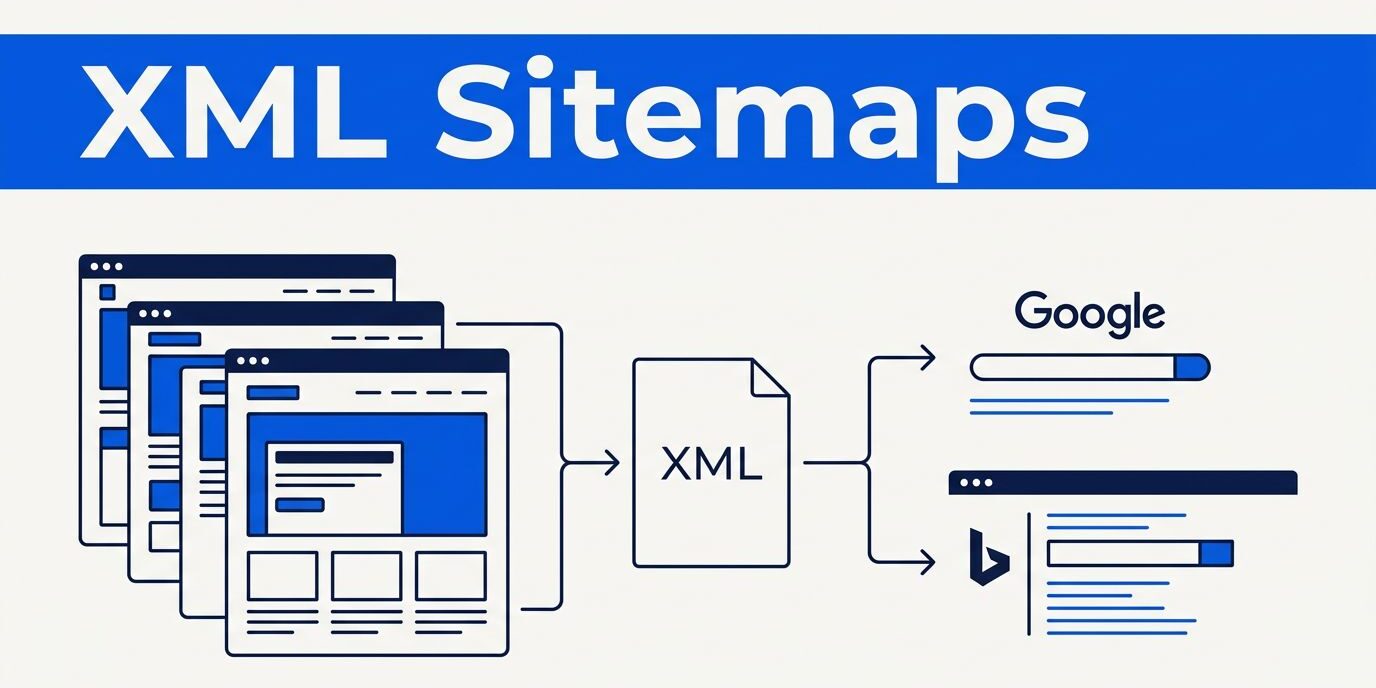
An xml sitemap can help Google discover important pages on your business website. It provides a direct list of those URLs, which is useful when your site is new, recently redesigned, or difficult to reach through internal links.
I use a website sitemap as a basic technical seo check, not a shortcut to rankings. A clean sitemap file supports discovery for search engines, but your pages still need useful content, accessible navigation, accurate canonical tags, and a good mobile experience. The setup starts with choosing the right URLs.

How an xml sitemap supports technical SEO
An XML sitemap is a structured text file, usually located at sitemap.xml, that gives search engines a clear list of URLs to crawl. This sitemap file uses XML tags such as <loc> for the full page address and <lastmod> for the date content was last changed.
I think of the sitemap as a clean list that supports crawl efficiency. It can help search engines discover service pages, location pages, blog posts, product pages, and other content that deserves attention.
Discovery does not guarantee indexing
Submitting the file doesn’t force Google to index every listed page. Google may leave a URL out when the content is thin, duplicated, blocked, marked noindex, redirected, or less useful than another version.
That distinction prevents a common mistake. If a service page stays unindexed, I inspect it rather than resubmitting the file. I check internal links and canonical URLs for consistency. A sitemap can expose orphan pages, but shouldn’t replace useful site structure.
XML format and html sitemap have different jobs
The XML format is written for search engines. An html sitemap is a normal page that helps visitors find sections of a website through clickable links.
Most small businesses don’t need one if their navigation is clear. However, an HTML version can help larger sites, organizations with many service areas, or websites with older content structures. The html sitemap should support users, while the XML file supports crawler discovery.
Choose the right URLs before creating the file
An xml sitemap is only useful when its contents are accurate. I review the website’s indexable pages first and choose the preferred URLs for search engines to crawl. Then I decide whether one sitemap file is enough or a sitemap index makes more sense.
Include canonical, indexable pages
I normally include the preferred HTTPS version of each important page. These canonical urls should match the page’s canonical tag and the version linked throughout the website.
A sitemap generator can create the XML, but it can’t decide which pages deserve inclusion. For a local business, that may include the homepage, core service pages, location pages with unique content, contact page, and selected articles.
Focused, accurate URLs support crawl efficiency and are more useful than a complete dump of every generated address. A sitemap may also reveal important orphan pages with weak internal linking, but the underlying links still need improvement. I leave out URLs that return errors, redirect elsewhere, require a login, or contain tracking parameters.
I also exclude thin tag archives, internal search results, staging pages, duplicate filter combinations, and pages with a noindex directive. A sitemap should describe the pages you want indexed, not every address your website can produce.
Follow the sitemap limits
Google’s current sitemap rules allow up to 50,000 URLs or 50 MB uncompressed in one file. The sitemap protocol requires utf 8 encoding, absolute urls, and valid xml tags, such as https://www.example.com/services/roof-repair/.
The required structure uses the <urlset> container as its urlset element, with one or more url entries. Each entry includes a <loc> value for its URL, and special characters must use proper XML escaping. I use Google’s sitemap instructions when I need to verify a technical detail. After a sitemap generator creates the file, I review its URL selection and run sitemap validation.
When a website exceeds either threshold, I split the content into several files and create a sitemap index. Each sitemap file stays within the same URL and size thresholds, and the index lists each child sitemap.
Create an xml sitemap on your website platform
Most business owners don’t need to handwrite XML. A content management system, SEO plugin, or hosted platform can create an xml sitemap automatically. I still review the generated sitemap file with a sitemap generator before sending it to search engines.
WordPress and hosted platforms
WordPress sites may use the built-in sitemap at /wp-sitemap.xml. SEO plugins often create a sitemap index at /sitemap_index.xml, with separate files for pages, posts, categories, or other content types. I sometimes compare the plugin output with a sitemap generator before choosing which location to submit.
I check which system is active before submitting anything. I open the actual website sitemap URL in a browser, confirm it’s publicly accessible without a login, and review several listed URLs.
Sending Google several overlapping sitemap locations can create confusion during maintenance. Many hosted platforms generate a sitemap automatically. Shopify commonly uses /sitemap.xml, while other platforms provide the location inside their SEO or site settings. Plugin documentation can vary, so I compare the actual output with current sitemap generator options rather than assuming the default is correct.
Custom and growing websites
For a custom-built or static website, I use a trusted sitemap generator or an automated deployment process that rebuilds the sitemap file when pages change. The process can call a sitemap generator during each build. It can refresh a sitemap index for multiple content groups, remove deleted URLs, and add canonical, indexable pages.
It should preserve consistent canonical urls rather than include every URL the site can generate. The workflow should also avoid duplicates.
I also look at the <lastmod> values. The lastmod tag can help Google when dates remain accurate and consistent. I don’t change every date whenever the file regenerates. Each date should reflect a meaningful page update, not a routine server process.
For sites with substantial media or news content, specialized formats may help, including image sitemaps, video sitemaps, and an optional news sitemap. Video sitemaps can support large video libraries, but a small service company usually doesn’t need these formats by default. Multilingual sites may also need specialized handling.
Submit the sitemap to search engines
After I verify the xml sitemap, I submit it through the search engine tools connected to the website. This sitemap submission gives search engines a clear location to check, but it doesn’t replace crawlable links or quality content.
Submit through Google Search Console
First, I open the verified property for the correct site version. A domain property is often easier to manage, but I still check that the sitemap uses the same HTTPS hostname and preferred www or non-www version.
In Google Search Console, I open Indexing, select Sitemaps, enter the sitemap path, and choose Submit. If the full address is https://example.com/sitemap.xml, I usually enter only sitemap.xml when Search Console asks for the sitemap file path.
I check the status after submission and review the reported URLs. My Google Search Console indexing and sitemap checks include looking at the Pages report and using URL Inspection for important pages.
Google’s old sitemap ping endpoint is no longer a useful submission method. I use Search Console, the Search Console API, or a Sitemap: directive in robots.txt instead.
Add the sitemap to robots.txt and Bing
I add a line like Sitemap: https://example.com/sitemap.xml to the site’s robots txt file (normally named robots.txt), which references the sitemap file. Google can find that reference when it next crawls the file. If the website uses a sitemap index, I list the index rather than every child file.
Google and Bing can use the same xml sitemap, but their submission workflows differ. I also submit the sitemap in Bing Webmaster Tools. Bing continues to support this format and places value on accurate update dates. After completing sitemap submission in both tools, I check for fetch errors and review the reported status.
Troubleshoot common sitemap errors
A warning about an xml sitemap often points to a problem with the website, not the file itself. I start with the exact message in google search console, then test the affected URL.
Fix fetch and formatting problems
When Search Console says it couldn’t fetch the sitemap file, I open its address in a private browser. The page should load without a password, redirect loop, server error, or blocked access.
I then check that the response contains XML rather than an HTML error page and run sitemap validation. Common causes include expired hosting, security rules blocking search engines, or a restrictive robots txt rule. Other causes include an incorrect domain version or a plugin that stopped generating the file after an update.
For malformed XML, I look for unescaped characters, broken xml tags, invalid dates, and missing closing elements. I use sitemap validation to compare the suspicious file with the required sitemap protocol and valid XML examples.
Resolve URL and indexing exclusions
A “URL not allowed” warning often means the sitemap uses a different hostname, protocol, or subfolder than the verified property. For example, http://example.com and https://www.example.com are separate URL versions. I check that all absolute urls match the verified property.
If Google reports a noindex tag, redirects, conflicting canonical urls, or a crawler block, I fix or remove that URL. Regenerating the output with a sitemap generator won’t fix incorrect URL eligibility, so I don’t leave known problem URLs in the file.
“Discovered, currently not indexed” isn’t always a sitemap error. I review the page’s content, internal links, duplication, and user value. A local SEO website audit can also uncover related problems, such as broken pages, inconsistent canonicals, or a blocked crawler directive.
Keep the sitemap accurate after launch
After launch, an xml sitemap needs periodic review because websites change. I check the sitemap file monthly on active business sites. I review the website sitemap more deeply after major updates, plugin changes, a redesign, or changes to a sitemap generator. Accurate updates give search engines a cleaner crawl path, supporting crawl efficiency.
Review important details regularly
I confirm that new service pages appear, deleted pages disappear, and the lastmod tag reflects genuine edits. The changefreq tag shouldn’t contain misleading routine values, and the optional priority tag isn’t a substitute for sound information architecture. I also compare the sitemap with the site’s page list and available indexing data.
During the same maintenance review, I test important contact forms and phone links. Search visibility has limited value if a potential customer reaches a page but can’t request a quote.
Update it during migrations
A website migration needs a new sitemap, working redirects, correct canonical urls, and an accessible robots txt file, normally named robots.txt. Sites that publish several child files may also need a sitemap index. I keep the old URL list long enough to map important pages to their new locations. After launch, I complete the sitemap submission once those migration checks are confirmed.
Businesses that change domains or page structures can review this website migration SEO checklist before publishing the new site. For help checking a sitemap, indexing setup, or broader site issues, Contact Us for a free consultation.
Frequently Asked Questions
Does every small business website need an xml sitemap?
Not every site needs one, especially when it has a small number of well-linked pages. An xml sitemap is still useful for new websites, redesigned sites, or websites with important pages that are difficult to reach through internal links.
Does submitting a sitemap guarantee that Google will index the URLs?
No. Sitemap submission helps Google discover the listed URLs, but indexing still depends on content quality, canonical signals, internal links, accessibility, and other technical factors.
How often should an xml sitemap be updated?
The sitemap should update when important pages are added, removed, or meaningfully changed. I review it monthly on active business websites and after redesigns, migrations, or platform changes.
Should a sitemap include redirected or noindex pages?
No. A sitemap should normally contain canonical, indexable URLs that return a successful page response. I leave out redirected URLs, duplicate versions, blocked pages, tracking parameters, and pages with a noindex directive.
Where should a business submit its sitemap?
I submit the sitemap through Google Search Console and Bing Webmaster Tools, and I reference it in the site’s robots.txt file. The submitted address should use the correct HTTPS hostname and sitemap file or sitemap index.
Conclusion
A well-maintained xml sitemap gives search engines a reliable list of the pages your business wants considered. The strongest setup uses canonical, indexable URLs, accurate lastmod values, valid XML, and the correct submission tools.
I don’t treat a sitemap as a ranking switch. I use the sitemap file alongside useful content, internal links, mobile testing, and regular maintenance. When it stays clean and its pages work properly, your website gives search engines a clearer path to your business.