

A website move can improve site speed, branding, and conversions, but one careless URL change can erase years of organic traffic and search visibility. I have seen businesses focus entirely on the new design while overlooking essential technical elements like redirects, indexed pages, tracking, and local business details.
The safest approach treats the move as a comprehensive website migration SEO project rather than just a design update. I plan the old site, map every important URL, test the new version, and monitor search data after launch. The process starts long before anyone touches the live website.
Key Takeaways
- Perform a comprehensive SEO audit to inventory valuable pages, conversions, technical settings, and your existing backlink profile before moving anything.
- Create a complete URL mapping strategy that uses 301 redirects to connect every important old URL to its closest new destination.
- Use a staging environment to thoroughly test redirects, canonicals, internal links, robots.txt, sitemaps, forms, analytics, and mobile layouts before launch.
- Keep the old site available during the transition and rely on post-launch monitoring in Google Search Console to catch any issues quickly after release.
- Local businesses must keep their website, Google Business Profile, and directory information consistent throughout the process.
Decide What Kind of Website Move You’re Making
I first define the scope because every migration carries different risks. A redesign on the same domain usually creates fewer problems than a domain change, but both can negatively impact your site structure and organic traffic if URLs or page content change without a plan.
Common website migrations include:
- Moving to a new domain name
- Switching from HTTP to HTTPS
- Rebuilding a site on WordPress or another content management system, which often requires significant technical SEO expertise
- Changing URL folders or page slugs
- Combining several websites into one
- Moving hosting providers
- Redesigning pages while changing content and navigation
- Relocating a business and changing local information
A hosting move may leave every URL unchanged. In that case, the main risks involve downtime, DNS settings, server errors, broken forms, and lost tracking. A domain migration requires much more care because Google must connect the old site with the new one.
A redesign can create hidden changes even when the domain stays the same. Developers may remove service pages, rename URLs, change internal links, alter headings, or block the staging site from being crawled. Each change affects how search engines understand and rank the website.
I also separate a website move from a business rebrand when possible. Changing the domain, business name, phone number, physical address, and service focus at the same time makes it difficult to identify the cause of a traffic drop. If a business location changes, I update the website and local listings carefully so the Google Business Profile and other citations tell the same story.
Google’s site move documentation distinguishes between moves with URL changes and moves without them. I use that distinction to build the project plan before development begins.
Conduct a Comprehensive SEO audit
I never begin with the new design. I begin by documenting what already works. Conducting a thorough SEO audit acts as the essential first step in your migration strategy. By performing formal benchmarking and a detailed content audit, you establish a clear baseline of your site performance before making any structural changes.
The old website is the baseline. I record the pages that receive organic visits, rank for valuable searches, generate leads, earn backlinks, or support local visibility. A page with modest traffic may still be important if it ranks for a high-intent service.
I collect data from Google Analytics, Google Search Console, and a crawler such as Screaming Frog. Depending on the site, I also review Ahrefs or Semrush data to evaluate the current backlink profile and ranking history. Google Search Console is especially useful because it shows queries, impressions, clicks, indexed pages, and crawl concerns connected to search.
My audit includes:
- Every indexable URL
- Organic clicks and impressions by page
- Top landing pages
- Metadata
- Main headings and service content
- Canonical tags
- Internal links
- XML sitemap URLs
- Robots.txt directives
- Redirects and error pages
- Structured data
- Images and important media
- Contact forms, phone links, and conversion tracking
- Backlinks pointing to valuable pages
I pay close attention to pages that do not receive much traffic today but have strong backlinks. Removing one of those pages can waste authority that took years to build. I also check old URLs because a page may have valuable links even if its content is outdated.
Local businesses need an additional review. I compare the business name, address, phone number, hours, service areas, and website URL across the site and major listings. If the homepage shows one phone number while an old directory shows another, the migration can make that confusion worse.
I save a full crawl and export key reports before launch. That gives me a reliable comparison point when something changes. Without those records, a traffic decline becomes a guessing exercise.
Perform URL mapping and Build a Redirect Map
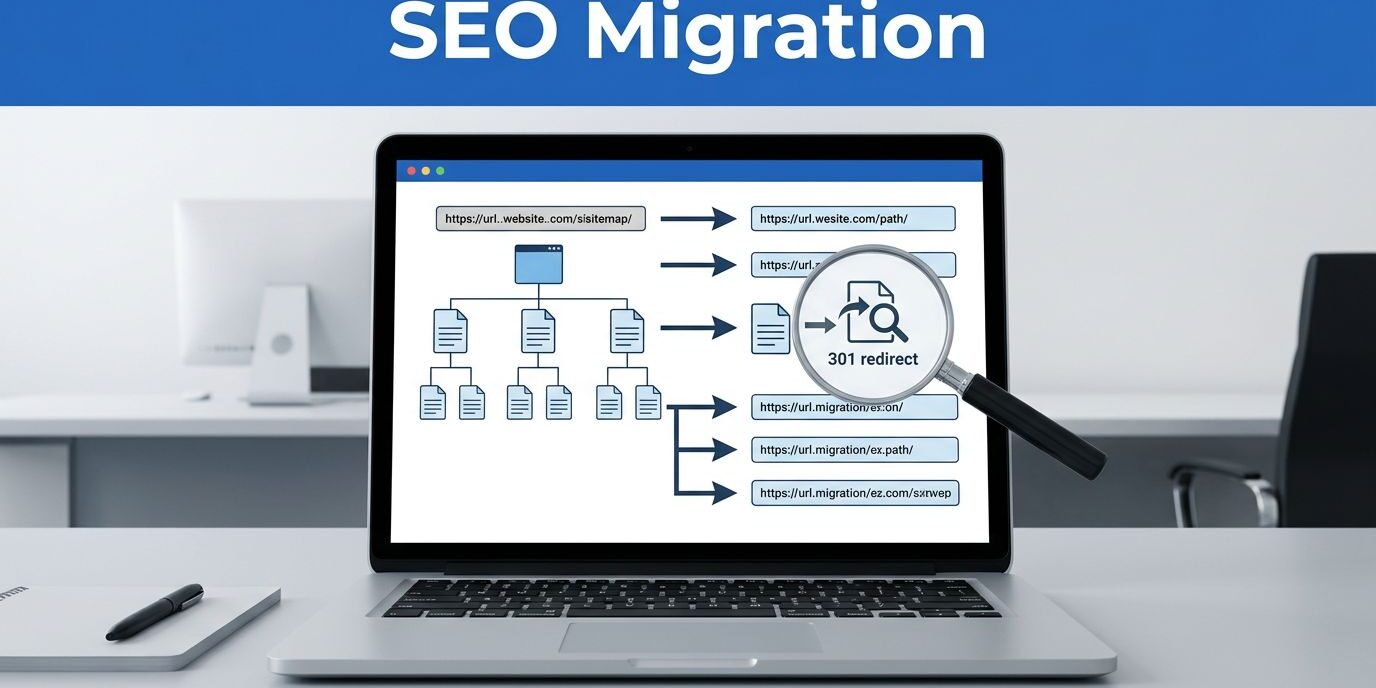
The redirect map is the central document in website migration. It tells me where each old URL should send visitors and search engines after launch.
I match an old page to the most relevant new page. A service page should redirect to the replacement service page, not to the homepage. A location page should point to its updated location page. By ensuring that each redirect leads to the most contextually relevant content, you preserve link equity that would otherwise be lost if users were simply sent to the homepage. If a page has no suitable replacement, I may allow it to return a genuine 404 or 410 response rather than sending every visitor to an unrelated page.
A blanket redirect to the homepage often creates a poor user experience and gives search engines little useful information. It also hides missing content during testing.
For each URL, I document:
- The old address
- The new address
- The redirect type
- The page purpose
- Organic traffic and ranking value
- Backlink importance
- Test status
I use permanent 301 redirects when a page has moved for good. A 302 redirect communicates a temporary change, so I do not use it as a substitute for a permanent migration. Google provides a useful explanation of permanent redirects, including how 301 redirects affect crawling and indexing.
I also avoid redirect chains. If an old page points to an intermediate URL that then points to another page, visitors and crawlers must follow extra steps. Each old URL should go directly to its final destination.
The new site should preserve useful page topics whenever possible. If the old site has a well-performing page about emergency drain repair, replacing it with a vague “Plumbing Services” page may weaken relevance even if the new page looks better. I keep strong content, improve it where needed, and change the URL only when there is a clear reason.
Internal links need updating too. You must update internal links across the new site to point directly to final URLs, avoiding old addresses that trigger unnecessary hops. I also check navigation menus, breadcrumbs, footer links, image links, downloadable files, and calls to action.
A redirect map is not a development detail. It is the connection between the authority of the old site and the structure of the new one, forming the backbone of your website migration SEO strategy.

Photo by Markus Spiske
Prepare a Test Site That Search Engines Can’t Index
I build and review the new website on a staging environment before launch. The staging site should be protected with a password or another access control method. I also use a noindex directive when appropriate, but noindex alone is not a complete privacy measure because the URL may still be discovered.
The most important point is simple: don’t let the staging site compete with the live site. A duplicate version can create indexing confusion and expose unfinished pages to customers.
During testing, I compare the new site against the SEO audit baseline from the existing website. I check whether valuable pages still exist, whether the content matches the search intent, and whether the internal linking structure guides visitors to the right service or contact page.
I test the following before launch:
- Page titles and meta descriptions
- H1 headings and important subheadings
- Canonical tags
- Robots.txt
- XML sitemap
- Redirect rules
- 404 and 410 responses
- Structured data
- Mobile layouts
- Site speed and Core Web Vitals
- Contact forms and email delivery
- Click-to-call phone links
- Analytics and conversion tracking
- Cookie notices and consent settings
- Images, downloads, and embedded media
Canonical tags deserve careful attention. They should point to the preferred live URL, not the staging domain or an old version. Google’s guidance on consolidating duplicate URLs helps clarify how canonical signals work.
I test the site on real phones, not only desktop browsers. Responsive design matters because many local visitors arrive from a Google Business Profile on mobile devices. Buttons must be easy to tap, forms must fit the screen, and phone numbers should work with one touch.
I also test the server response. A polished layout cannot compensate for a broken page, a slow host, or a form that silently fails. If the new platform changes image paths, file names, or downloadable documents, I add those URLs to the redirect review and perform a thorough check for any broken links.
Launch the Migration in a Controlled Window
I choose a launch period when the business can respond quickly to problems. A weekday morning often gives the team more time to catch errors, contact the developer, and review leads. I avoid launching immediately before a major holiday, weekend promotion, or important advertising campaign.
Before switching the domain or DNS settings, I take a final backup of the old site and database. I also confirm that the old hosting account will remain available. The old site may need to serve redirects for weeks or months, depending on the migration.
At launch, I follow a written sequence rather than making changes from memory:
- Put the new site into production.
- Confirm that the domain resolves correctly.
- Activate all planned 301 redirects to maintain SEO equity.
- Remove staging-only blocks from the live site.
- Check canonical tags and robots.txt.
- Submit the new XML sitemap in Google Search Console.
- Test priority old URLs manually to verify the 301 redirects are working properly.
- Test forms, phone links, analytics, and key conversion actions.
- Confirm that the new site uses HTTPS everywhere.
- Record the exact launch time for later reporting.
I verify the live site from outside the office network and on more than one device. DNS changes can appear differently while they spread across networks, so I don’t assume that one successful browser test proves the whole migration works.
For a domain change, I use Google Search Console for both the old and new properties. Google’s Change of Address tool is designed for certain site moves between domains. It isn’t a replacement for redirects, but it gives Google additional information about the change.
I submit the new sitemap through Google Search Console and inspect important URLs individually. I don’t request indexing for every page without a reason. A clean sitemap, working internal links, and accessible content give crawlers a clearer path.
Ranking fluctuations can happen while Google recrawls and processes the new signals. I look for technical errors first rather than reacting to every daily fluctuation. Search traffic is not a light switch. It can move unevenly while the index catches up.
Implement post-launch monitoring and Track Errors
The migration process is not complete when the new homepage loads. I perform consistent post-launch monitoring during the first days and weeks to ensure the transition remains stable.
My first checks focus on technical failures. I review server logs, crawl reports, Google Search Console indexing data, Google Analytics performance metrics, and conversion records. I compare the new site with the pre-launch baseline to identify discrepancies.
I watch for:
- Spikes in 404 or 5xx errors
- Pages excluded from indexing
- Redirects pointing to the wrong destinations
- Canonical tags that reference old URLs
- Organic traffic drops on key landing pages
- Search queries losing impressions
- Contact forms producing fewer submissions
- Missing phone calls or tracked conversions
- Sudden drops in branded searches
- Crawlability issues and broken images, files, or structured data
I use Google Search Console’s Performance report to compare clicks and impressions by page and query. A page may lose clicks because rankings changed, because the title no longer attracts attention, or because tracking broke. Those causes require different fixes.
I also crawl the live site after launch. The post-launch crawl should show final URLs, successful status codes, correct canonicals, working internal links, and no accidental noindex directives. I compare it with the original crawl to find missing pages.
Local businesses need a separate check. I confirm that the website link in the Google Business Profile points to the correct page. I review the business name, phone number, address, hours, service area, and contact paths. If the business has moved or rebranded, I update major citations so old information does not keep appearing in search results.
I do not change the Google Business Profile repeatedly while the website migration is still settling. Multiple large edits can create unnecessary review problems, especially when the business name, category, address, and website change together. I make one documented change at a time and confirm that the public profile matches the real business.
For ongoing upkeep, I use a clear website maintenance and support plan when the business does not have someone assigned to monitor updates, forms, backups, and search performance.
Fix Migration Problems Without Making Them Worse
Traffic loss after a migration usually has a traceable cause. Common issues include missing redirects, broken links, deleted service pages, blocked crawling, wrong canonicals, broken tracking, and unexpected technical SEO oversights that impact how search engines interpret your new site structure.
I start with the exact date and page group affected. If every page drops at once, I check DNS, robots.txt, server errors, and indexing settings. If only old URLs decline, I inspect redirect rules. If service pages lose visibility while the homepage remains stable, I compare their content, headings, internal links, and canonical tags.
I avoid making dozens of changes at once. Large, untracked edits make it harder to tell which fix worked. I document each correction, recrawl the affected URLs, and watch the data for a reasonable period.
A few mistakes appear often:
- Redirecting every old page to the homepage instead of mapping to relevant content.
- Misconfiguring 301 redirects, which sends authority to the wrong destinations.
- Deleting pages because they look outdated without checking traffic or backlinks.
- Launching with a staging environment that still features noindex tags or blocked robots.txt files.
- Leaving old internal links throughout the new site that point to dead pages.
- Replacing specific service content with short, generic copy that lacks original metadata.
- Forgetting PDFs, images, and other indexed files.
- Changing tracking codes during the same release.
- Closing the old hosting account immediately.
- Ignoring local directory and profile information.
- Treating a redesign as a reason to change every URL without a strategic plan.
If the decline continues, I compare crawl data, Search Console reports, analytics, server logs, and backlink records. I also review manual actions and security notifications. A migration can expose an older technical problem, but I do not assume the move is the only possible cause.
A careful recovery often means restoring a missing page, correcting a redirect, removing a crawl block, or bringing back useful content. Search engines need accurate, accessible pages before they can reassess the site.
Frequently Asked Questions
Why does my organic traffic drop after a website migration?
Traffic drops typically occur due to missing redirects, broken internal links, or the removal of high-performing content. If Google cannot find the new versions of your pages, it may de-index your content or lose the authority you built on the old site.
Should I redirect every old URL to my new homepage?
No, you should map old URLs to the most relevant, contextually similar page on the new site. Redirecting everything to the homepage results in a poor user experience and fails to pass the specific ranking signals and authority associated with the original page.
How long should I keep my old website active after the move?
It is best to keep the old site available and functional for at least several months after the migration. This ensures that any remaining traffic or inbound links from external sources are successfully passed to the new site through your redirect strategy.
Is a staging environment necessary for a website move?
Yes, a staging environment is critical for testing redirects, metadata, and technical settings before they go live. Testing in a private space allows you to identify and fix critical errors, such as accidentally blocking search engines, without impacting your current rankings.
Conclusion
A website move does not have to cost your search traffic. By applying website migration SEO, I protect rankings through documenting the old site, preserving valuable content, mapping redirects, testing the new build, and monitoring the live version after launch.
The strongest migration plan is practical and traceable. Every important old URL has a clear destination, every technical setting has been checked, and the website matches the business information customers see elsewhere. When you approach the move with a focus on strategy, a redesign can improve your business without cutting the connection to the organic traffic visibility it already earned.