

A city page can lose search visibility when search engines can’t tell which city URL deserves credit. I treat canonical tags local SEO work as a URL-selection problem, not a shortcut for weak local content.
A canonical tag identifies the preferred version when pages contain duplicate content. For local businesses, the right choice depends on what each page offers visitors. Start with the difference between useful location pages and a technical duplicate.
Key Takeaways
- Canonical tags help search engines select the preferred URL among duplicate or highly similar pages, but they are a strong hint rather than an absolute command.
- Unique city pages with original local value and a genuine business purpose should usually use a self-referential canonical URL.
- Thin or copied location pages should be rewritten, merged, redirected, or removed because canonicalization cannot make weak local content useful.
- Use canonical tags for accessible duplicates, 301 redirects when obsolete URLs should disappear, and
noindexwhen a public page should stay out of search. - Keep canonical tags, internal links, XML sitemaps, redirects, and structured data aligned so Google receives consistent URL signals.
What a Canonical Tag Tells Search Engines
A canonical tag is an HTML link element placed in the HTML head section, not a descriptive meta tag. It identifies the preferred URL for a group of duplicate or highly similar pages.
For example, a page may include rel="canonical" with an href pointing to its preferred version. The canonical URL is the version you want Google to consider for indexing and ranking when other URLs show substantially the same content.
Google treats the canonical tag as a strong hint, not an absolute command. Its systems compare that hint with other ranking signals, including redirects, internal links, sitemap inclusion, HTTPS versions, and page content. If those signals disagree, Google may select another page.
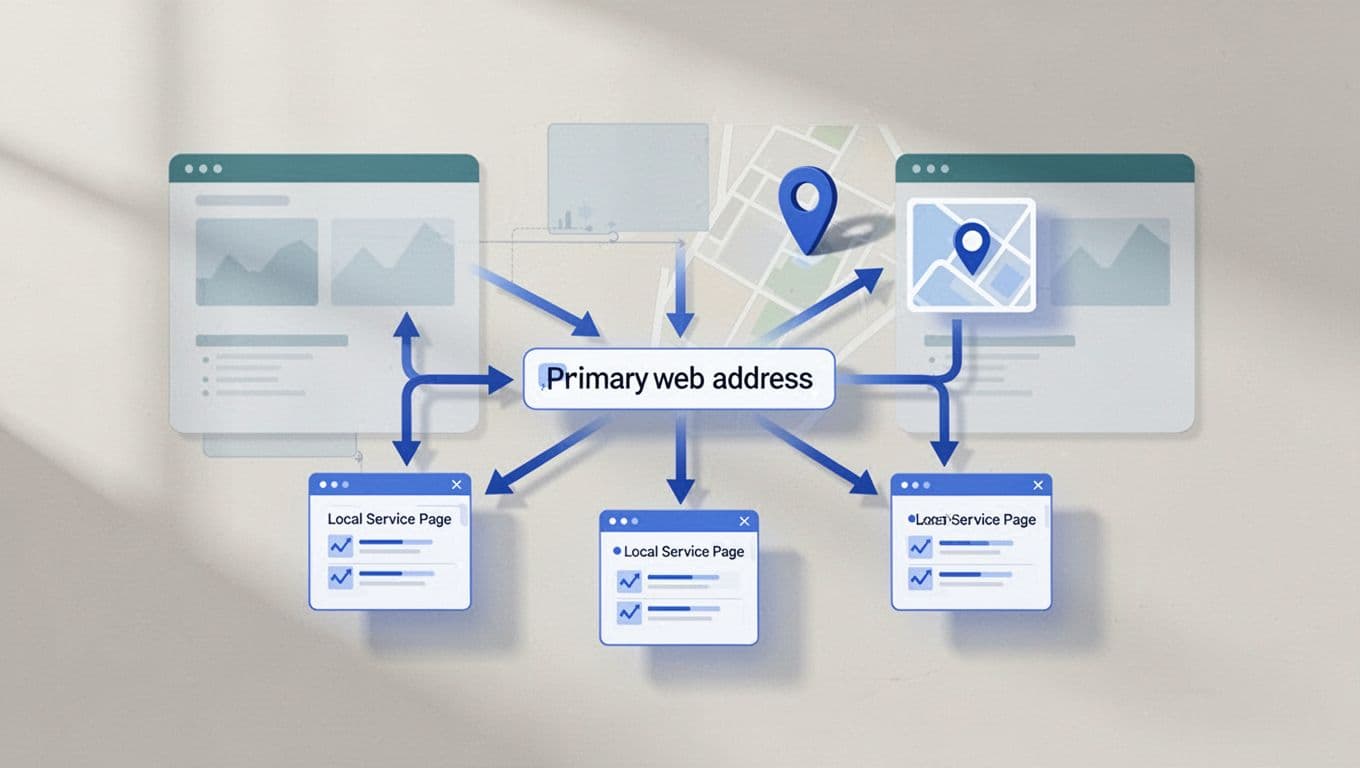
Google explains how search engines evaluate these signals in its guidance on consolidating duplicate URLs. I use that guidance as the baseline when reviewing a local website.
Canonical URLs group similar pages
Suppose these URLs represent duplicate Fort Myers service pages:
/air-conditioning-repair//air-conditioning-repair/?utm_source=google/air-conditioning-repair/?campaign=summer/air-conditioning-repair/
The clean URL should usually be the preferred version. Tracking parameters help measure campaigns, but they don’t create separate services or locations.
Canonicalization groups duplicate content and can resolve variations involving uppercase letters, trailing slashes, filters, session IDs, HTTP and HTTPS, or multiple domain versions. These URL variations can dilute link equity across several addresses, consume crawl budget, and make it harder for Google to select the page you intended.
Google checks more than the tag
A self-referential canonical points to the same URL currently being viewed. I normally recommend it for important pages unless the page belongs to a larger duplicate group.
Internal links and the XML sitemap should point directly to that same preferred URL. If the declared URL differs from the sitemap entry, Google receives conflicting instructions.
That does not mean duplicate content automatically causes a penalty. The greater risks are wasted crawl activity, weaker consolidation, and Google selecting a less useful page.
Should Every Location Page Use a Self-Referential Canonical?
For most legitimate location pages, yes. Search engines can treat a city page as its own preferred destination when it has a distinct purpose, useful local information, and a real business reason to exist.
I don’t canonicalize every city page to the homepage or one broad service page simply because the pages share a template. Shared design is normal. The important question is whether the page gives a visitor a genuinely local reason to choose it.
Unique local pages deserve their own URLs
A strong area page may include details about the location, nearby communities, service conditions, project examples, customer feedback, travel coverage, and calls to action that fit the area.
For example, a Fort Myers air-conditioning page and a Lehigh Acres air-conditioning page can both discuss repairs. Each page should provide local details that help customers understand where the company works and what to expect.
The page should also match a real business operation. A Google Business Profile can support the company’s local presence, but it doesn’t make thin or copied pages useful. Local relevance comes from accurate information and original content.
I look for these signs before keeping a city page indexable:
- The business genuinely serves the area.
- The page names a clear service and location.
- Local details go beyond changing the city name.
- The page offers enough indexable value to justify its own URL.
- The page has a working phone number, form, or quote path.
- Internal links and navigation support the page.
- The content answers a local customer’s practical concern.
Thin pages should be merged or removed
If ten pages use the same paragraphs, testimonials, images, and service description with only city names changed, they may compete with one another. A canonical tag won’t turn duplicate content into strong local content.
My SEO strategy uses canonicalization to decide whether to merge similar pages, rewrite selected pages with real local value, or use 301 redirects for obsolete URLs. Redirects should point to the closest useful replacement. A page that has no unique purpose shouldn’t remain online solely to target another city name or compete in organic results.
This issue is often called city page cannibalization. A practical city page cannibalization guide can help when several area URLs overlap in topic and intent.
A location page earns its own canonical when it earns its own place in the customer’s decision.
Choosing the Right Canonical Method for City Pages
Canonicalization is only one part of URL management. I choose the method based on whether the alternate URL should remain available to visitors.
Use canonical tags for accessible duplicates
Use a canonical tag when multiple URLs need to work, but one canonical URL should represent the group as the preferred version. This can consolidate duplicate content and preserve link equity without making the alternate URL disappear.
Tracking parameters are a common example. A visitor may arrive through a campaign link, while Google should focus on the clean service URL.
Use absolute URLs, including the protocol and domain. They give crawlers the complete destination and prevent mistakes caused by relative paths, subdirectories, or page templates.
Validate the canonical tag before publishing. The canonical URL should return a successful, indexable page using HTTPS. I check that it loads without redirecting, carries no noindex instruction, and isn’t blocked. Non-HTML resources can provide canonical information through HTTP headers.
Use 301 redirects when the old URL should disappear
A permanent 301 redirect is stronger than a canonical hint. Use it when an old page has moved permanently, a duplicate URL has no reason to remain accessible, or a site migration replaces an old structure.
For example, when reorganizing service pages, use 301 redirects from old addresses directly to matching new pages. I avoid sending every old URL to the homepage because the homepage may not answer the visitor’s original need.
A canonical tag is better when the alternate URL still needs to load, such as a campaign URL. A redirect is better when the old URL has no separate purpose.
| Situation | Preferred action |
|---|---|
| Campaign URL for a service | Canonicalize to the clean URL |
| Permanently moved service page | Use a direct 301 redirect |
| Unique city page with original content | Use a page-specific canonical |
| Thin duplicate city page | Merge, redirect, or remove |
| Public page that should stay out of search | Use noindex, not a canonical |
Robots.txt isn’t a canonicalization tool. Blocking a URL can prevent Google from seeing the intended destination, and the blocked address may still appear in search without page content. Similarly, noindex meta tags remove a page from search rather than telling search engines which duplicate should represent it, so canonicalization can’t replace either directive.
How CMS Platforms Manage Canonical Tags
The platform matters because content management systems use automatic settings that can help or create confusion. Defaults are starting points, not proof that every page uses the right preferred address.
WordPress sites commonly output a canonical tag through an SEO plugin or theme. Many setups use canonicals by default, while plugins allow manual changes for archives, duplicate pages, and custom post types. I check the live source code rather than assuming the plugin made the right choice.
Shopify commonly generates canonical elements through theme templates for products, collections, articles, and pages. Product filters and parameter-based addresses still need review, especially when a store has many combinations. Automatic settings only help with canonicalization when templates, filters, and page types are configured consistently.
Wix creates default canonical elements for site pages and allows manual editing in its advanced SEO settings. HighLevel relies more heavily on the page builder, template, or custom code, so I inspect each page type rather than trusting defaults. For non-HTML resources, edge layers may define canonical information through HTTP headers.
A sound setup also requires regular site care. Website design, SEO, and ongoing maintenance can support a recurring site audit. This helps catch plugin updates, redesigns, or template changes that alter canonical settings across dozens of pages.
How to Audit Canonicals on Local Service Pages
I audit local pages in a fixed order as part of every site audit, so a technical correction doesn’t remove a useful page by accident.
1. Build a complete URL inventory
I export the site’s service pages, location pages, archives, parameter URLs, redirects, and XML sitemap entries. I prioritize large parameter sets because they can consume crawl budget.
For each URL, I record its title, primary service, target location, preferred version, canonical target, indexability, indexable value, sitemap inclusion, organic traffic, and lead activity.
Then I group pages by search intent and decide which URLs should remain distinct. A page about emergency plumbing repairs shouldn’t automatically share a canonical with a page about scheduled maintenance, even if both target the same city.
2. Inspect the live page and Google-selected URL
I inspect the rendered source or use a browser inspection tool to confirm that each page has one canonical tag pointing to the intended canonical URL. I check the protocol, domain, path, trailing slash, and status code.
Next, I use Google Search Console’s URL Inspection tool to see which URL search engines select. It shows the user-declared canonical and Google-selected canonical. If Google chooses another URL, I compare internal links, sitemap entries, redirects, page content, and indexing instructions before changing the preferred destination.
I also review Google Search Console for local SEO to compare impressions, clicks, queries, and pages. I compare those trends with keyword ranking, organic results, and search visibility. A page with impressions but no leads may need better content or conversion paths, not a new canonical.
3. Align every ranking signal
After choosing the preferred URL, I complete canonicalization by aligning every ranking signal. I update internal links, the sitemap, structured data references, and 301 redirects for old addresses. The preferred destination must remain crawlable and indexable.
I then test the page on mobile, follow the contact path, and check the next crawl. Canonical changes may take time to appear in Search Console, so I document the date and compare results after Google has revisited the URLs.
A technical audit tool can speed up large reviews. A canonical tag audit guide is useful when I need to inspect many pages for missing, duplicate, or conflicting tags.
Common Canonical Mistakes on Local Websites
Several canonicalization errors appear repeatedly during audits of local sites:
- Pointing every city page to the homepage instead of its relevant page.
- Using a relative path instead of an absolute canonical URL.
- Adding multiple canonical elements to one page.
- Canonicalizing a unique page to a similar but different service, creating duplicate content issues.
- Listing one URL in the sitemap while declaring another canonical URL in the page source, creating conflicting sitemap inclusion and ranking signals.
- Leaving old internal links pointed at redirected URLs.
- Creating canonical chains where URL A points to B and B points to C.
- Combining
noindexwith a canonical when the goal is consolidation. - Blocking duplicate URLs in robots.txt before search engines can read their instructions.
- Allowing tracking parameters to generate thousands of crawlable URL variations.
Good canonical implementation keeps the page structure simple. Each important city page should have one clear purpose, one preferred URL, and one clear canonical tag, with consistent signals across the site.
Frequently Asked Questions
Should every local city page use a self-referential canonical?
Usually, yes, when the page has a distinct purpose, useful local information, and a real business reason to exist. A shared template does not make legitimate location pages duplicates.
Can a canonical tag fix thin or copied city pages?
No. Canonicalization selects a preferred URL, but it cannot turn copied or low-value content into a strong local page; those pages should be improved, merged, redirected, or removed.
When should I use a 301 redirect instead of a canonical tag?
Use a 301 redirect when an old or duplicate URL should no longer remain accessible, such as after a permanent page move or site migration. Use a canonical tag when the alternate URL still needs to load, such as a campaign URL with tracking parameters.
Does Google always follow the canonical tag?
No. Google treats the canonical as a strong hint and compares it with redirects, internal links, sitemap entries, HTTPS versions, and page content. Conflicting signals can cause Google to select a different canonical URL.
Is robots.txt a replacement for canonicalization?
No. Blocking a URL in robots.txt can prevent Google from seeing its canonical instructions, while noindex removes a page from search rather than consolidating duplicate URLs. Choose the directive based on whether the URL should remain accessible and which page should represent the content.
Conclusion
A canonical tag helps choose the right URL, but canonicalization can’t repair duplicate content or copied city pages. For original city URLs, use a self-referential canonical and make the canonical URL the preferred version. Use 301 redirects when obsolete URLs should disappear.
When canonicals, internal links, redirects, and sitemaps all point in the same direction, search engines have fewer reasons to select the wrong page. After recrawling, review keyword ranking and organic results to confirm the intended page performs as expected. If your city URLs need a careful review, Contact Us for a free consultation about your website and SEO needs.