

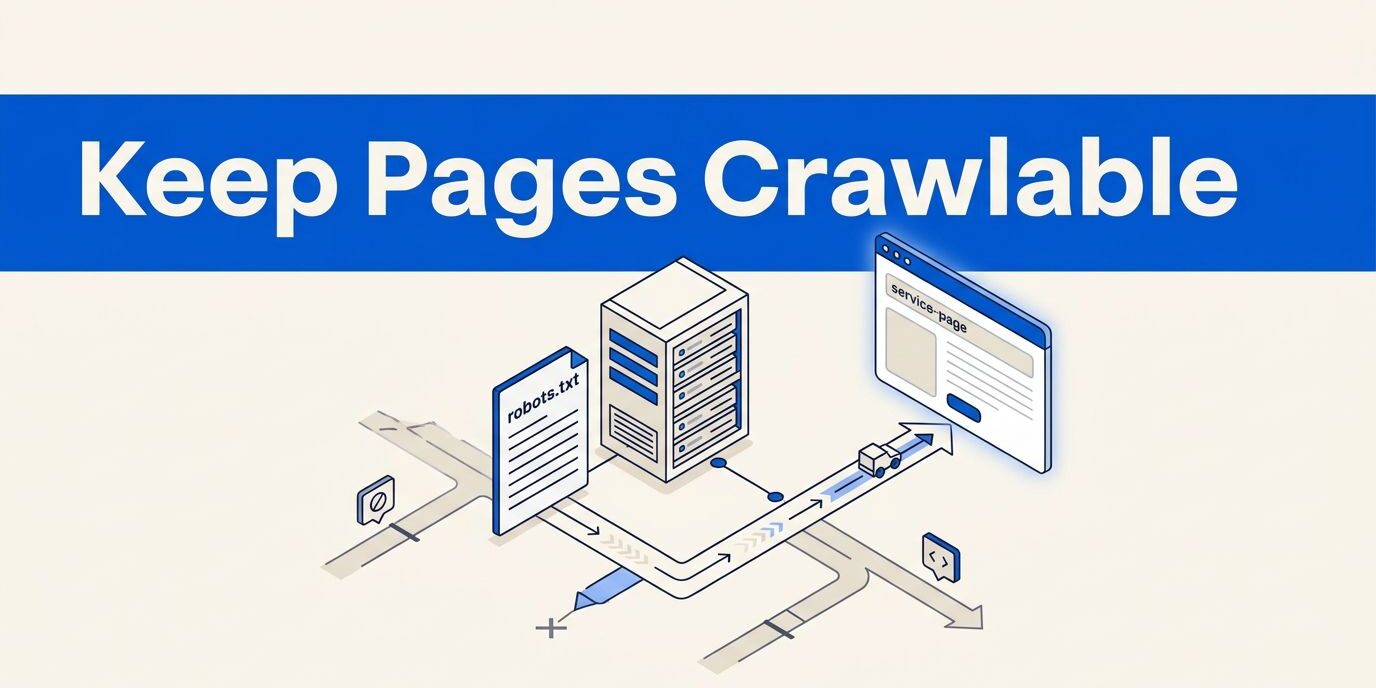
One wrong line in robots.txt, the file that implements the Robots Exclusion Protocol, can remove a service page from Google’s crawl path before a customer ever sees it. Search engine crawlers read the file, and rules can differ by user-agent. When I audit lead-generating URLs for a local business, I check /services/, location folders, and important supporting files first.
The goal isn’t to let every bot roam everywhere. I use robots.txt to reduce waste on low-value URLs while keeping pages for calls, forms, and quotes open. Before publishing, I test every robots.txt rule against a page inventory.

How to configure robots.txt service pages safely
robots.txt is a plain-text file that gives search engine crawlers instructions about URL access. It follows the Robots Exclusion Protocol, which the IETF documented in RFC 9309, the Robots Exclusion Protocol.
Keep crawler rules narrow and readable
The file belongs in the root directory of each hostname. For example, example.com/robots.txt and shop.example.com use separate files. Each hostname has its own user-agent context, so web crawlers and other web robots follow that host’s file. A file on the main domain doesn’t automatically control a subdomain, staging site, or separate customer portal.
In robots.txt, Google recognizes directives such as User-agent, Allow, Disallow, and Sitemap; a small business file might use User-agent: * for general rules. The * wildcard applies to every user-agent, and the same wildcard can match path patterns. A Disallow: /wp-admin/ entry acts as a disallow directive for an administration path. An Allow: /wp-admin/admin-ajax.php entry can keep a needed endpoint available. A crawl-delay directive isn’t a substitute for narrow rules within each user-agent group.
I also add a Sitemap: line with the complete address of the site’s sitemap. The robots.txt file should remain UTF-8 plain text, with one directive per line. Google’s robots.txt guide explains the syntax rules and the limits of crawler access rules.
Treat Lead-Generating URLs as Protected SEO Assets
A service directory often contains the pages a business most wants visible to potential customers. That includes URLs for plumbing repairs, commercial roofing, legal services, home inspections, or website maintenance.
I treat these lead-generating URLs as a site-architecture task, not just a file-editing task. Before changing anything, I identify:
- Core offers that describe the main services.
- Location pages that target real service areas.
- Supporting pages with useful answers, proof, or case studies.
- Administrative, search, filter, and testing URLs that don’t need regular crawling.
A blanket rule such as Disallow: / can block the entire website. That rule may be appropriate for a private development site, but it has no place on a live business website unless the owner understands the consequences.
A crawler block can stop Google from crawling a URL, but it doesn’t guarantee that Google will forget the URL exists.
Keep important service URLs crawlable
The safest robots.txt setup starts by classifying which URLs should remain accessible. I review the actual URL structure because the Robots Exclusion Protocol matches paths, not page intent.
Leave core and location pages open
If a business uses /services/roof-repair/, /services/emergency-roofing/, and /locations/fort-myers/roof-repair/, those paths should usually remain crawlable. Google needs access to the page content, links, title, headings, and other signals that explain the offer.
Location URLs also need individual review. A page for a real market can earn search visibility and a place in relevant search results when it contains useful, location-specific information. However, copying the same paragraph across dozens of city URLs can create duplicate content. Blocking the entire location folder doesn’t solve that problem.
I prefer to improve weak URLs, consolidate near-duplicates, or redirect obsolete URLs. I also keep the navigation logical, as described in this guide to service pages that attract qualified leads.
Block low-value paths without blocking their parent folders
Some URL paths can consume crawl budget and server resources without helping customers. These may include internal search pages, account areas, cart pages, test directories, old inventory tools, and private staging paths that web crawlers don’t need to access.
For example, Disallow: /internal-search/ in robots.txt is more precise than blocking /. A broad * wildcard or / rule can affect every matching user-agent, while a precise folder rule limits the impact. If another user-agent group matches the same path, I check the rule for each crawler group before publishing.
An overly broad robots.txt rule can also block important child URLs through parent-folder matching. Blocking an obsolete campaign folder is safer than blocking the entire /services/ directory because one old URL needs cleanup.
I check server logs before limiting query-based URLs. A parameter may look unimportant but still support useful content, tracking, or a required site function. I also avoid treating robots.txt as a security solution. Publishing a private folder name in the file can reveal its location without protecting it from unwanted visitors.
Use a sitemap and internal links together
robots.txt follows the Robots Exclusion Protocol and controls access, while a sitemap and internal links support discovery. Together, they help manage crawl budget more effectively than either tool alone.
Point crawlers to the canonical XML sitemap
The Sitemap: directive in robots.txt should contain the full URL of your sitemap or sitemap index. It helps crawlers discover URLs. Each user-agent can then receive relevant crawl instructions, especially on sites with several service categories or multiple subdomains.
A sitemap doesn’t guarantee indexing, rankings, or traffic. It should contain canonical URLs that return a successful response and remain open to crawling. Don’t include redirected pages, deleted pages, blocked pages, or URLs with a page-level noindex instruction.
Google documents sitemap syntax and file processing in its robots.txt specification. I also use Search Console for local SEO to submit and monitor the sitemap, then inspect whether important service URLs have indexing problems.
Build a clear internal path to each service
A sitemap is helpful, but internal links give search engine bots context that robots.txt can’t provide. I usually link the homepage to the primary service hub, then connect that hub to focused offer URLs. Location pages can link to services available in that market, provided the relationship is genuine.
This structure also helps visitors move from a broad offer to the exact service they need. A person searching for emergency drain cleaning shouldn’t land on a general home-services page and hunt for the right option.
Before I block anything in robots.txt, I follow internal links from the homepage, main navigation, service hubs, and relevant location pages. I also validate the path for each relevant user-agent group before blocking. If a valuable page has no meaningful internal path, the issue may be site structure. That gap can limit search visibility.
Test for accidental blocking before publishing
A rule change can affect an entire group of URLs in seconds. I test the file before and after publishing, especially after platform, domain, or URL structure changes.
Check the live file and important paths
First, I open the live robots.txt address in a browser. I confirm plain-text output from the correct hostname and root directory, then compare its rules with the XML sitemap and main navigation.
For each important URL, I test the relevant disallow directive under each user-agent group. Matching behavior follows the Robots Exclusion Protocol, so I repeat inherited path checks for every user-agent group. A /services/ rule in robots.txt also affects /services/landscaping/ and /services/irrigation/, so web crawlers may miss several URLs at once.
I review URLs individually in Google Search Console when a page appears missing from search results. The inspection result can reveal a robots.txt block, a noindex meta tag, an HTTP-header noindex, a redirect, a server error, or a canonical tag pointing elsewhere.
Check staging rules after a migration
Development sites often use the * wildcard user-agent group with Disallow: / to keep unfinished pages out of search. The mistake happens when someone moves those rules to production without removing them.
I check robots.txt during every website migration, redesign, domain change, and major URL update. I compare the old and new files, including each user-agent group, during production-versus-staging checks. A redirect can send visitors to the right page, but it won’t fix a production rule that blocks the destination.
Google may cache robots.txt for up to about 24 hours. Therefore, a corrected file may not produce an immediate change in crawler behavior. I avoid repeated edits and monitor the response after the file has had time to refresh.
Know what robots.txt cannot hide
Robots.txt is part of the Robots Exclusion Protocol, which guides voluntary crawl behavior for a specified user-agent. It isn’t a private door, a password, or a guaranteed way to remove content from Google Search.
Use noindex when a public page should stay out of search
If a public page shouldn’t appear in search results, I use a noindex meta tag in its HTML. An X-Robots-Tag: noindex HTTP response header is another option, especially for non-HTML files.
The page must remain crawlable long enough for Google to read the instruction. If robots.txt blocks it first, Google may never see the noindex tag. The URL can still appear in search if search engine bots find it through a link, sitemap, or other reference.
I remove the page from the sitemap and unnecessary internal links. I let Google crawl it, then apply the appropriate page-level instruction. Google’s documentation recommends these methods instead of using robots.txt as a deindexing tool.
Protect confidential pages with access controls
For customer portals, employee systems, payment areas, private files, or unpublished business information, I use authentication or server-side access restrictions. I password-protect those resources instead of relying on blocking methods.
Robots.txt is publicly visible, and its rules can expose crawler-specific behavior for each user-agent. Anyone can read it, including competitors and malicious scanners, while web robots can still request a disallowed URL. A listed admin folder may reveal a useful target, so don’t treat these blocking methods as protection against security vulnerabilities.
How robots.txt Handles Artificial Intelligence Crawlers Without Hurting Search
Some website owners use robots.txt to limit generative artificial intelligence crawlers. The file can target a named User-agent, but the crawler must voluntarily honor the rule.
For example, an owner might create a separate User-agent group for a documented artificial intelligence crawler and disallow a selected content folder. That rule doesn’t automatically block Google or every other crawler, because it applies only to that specific User-agent. It also doesn’t create a universal instruction about generative artificial intelligence training, content licensing, or model use.
The Robots Exclusion Protocol defines voluntary access rules for web crawlers, and compliant web robots may follow them while others ignore them. It doesn’t define a special policy language for model training, and the wildcard group under User-agent: * can affect Google and other desired crawlers. I don’t use a broad robots.txt Disallow: / rule; identify the exact crawler, review its behavior, and protect desired access.
Use a short review routine for ongoing maintenance
I review robots.txt whenever the website changes, then repeat a basic check during regular website maintenance. This routine helps protect crawl budget and limit wasted server resources. It also supports website performance when crawler activity increases.
- I list every indexable URL that should attract customers.
- I compare those URLs with the XML sitemap and internal navigation.
- I review each user-agent group and its broad rules for effects on valuable parent folders.
- I search robots.txt for a wildcard, then confirm the relevant user-agent scope.
- I inspect important URLs in Search Console and check for indexing errors.
- I confirm that production and staging sites use different access rules.
- I record changes so another person can understand how each rule controls access for web robots.
Google enforces a 500 KiB processing limit. Content after that point is ignored, including rules or sitemap lines placed at the end. The RFC for the Robots Exclusion Protocol requires crawler parsing limits to be at least 500 KiB, but keeping robots.txt short is still the safer choice. A crawl-delay directive may appear in plugin-generated or manually added rules, but it isn’t a universal solution. A normal small-business website rarely needs a huge list of individual URL rules.
If the file has grown through years of plugins, migrations, and manual edits, a local SEO website audit can uncover blocks that a quick browser check misses. It can also identify focused website optimization priorities. If the file affects lead-generating pages, Contact Us for a free consultation about your website and SEO needs.
Frequently Asked Questions
Can robots.txt block important service pages?
Yes. A broad rule such as Disallow: / or Disallow: /services/ can prevent search engine crawlers from accessing valuable service and location pages. Test each rule against your URL inventory before publishing.
Does robots.txt remove a page from Google Search?
No. Robots.txt can stop crawling, but it doesn’t guarantee that Google will remove or forget a URL. Use a noindex meta tag or X-Robots-Tag: noindex header when a public page should stay out of search, and keep the page crawlable so Google can read the instruction.
Does robots.txt protect private or confidential content?
No. Robots.txt is publicly visible, and web robots can ignore its rules. Use authentication or server-side access controls for customer portals, employee systems, payment areas, and private files.
Should service pages appear in the XML sitemap?
Important, canonical service and location pages should usually appear in the XML sitemap if they return a successful response and remain open to crawling. Don’t include redirected, deleted, blocked, or page-level noindex URLs.
Conclusion
Robots.txt should guide web robots away from low-value areas without cutting off pages that support your search visibility. I protect core URLs, real location pages, and useful supporting content. Private or non-indexable content needs page-level or server-level controls. This approach follows the Robots Exclusion Protocol, but it doesn’t replace access controls or guarantee placement in search results.
The safest file is usually short, specific, and tested against the live sitemap. Before adding another rule to robots.txt, check its user-agent scope. A broad rule can affect a parent directory containing one of your most important robots.txt service pages.