

An invoice that looks like it came from your company can damage trust before a customer opens it. A properly configured SPF DKIM DMARC setup uses email authentication to identify legitimate mail. It supports email deliverability for invoices, estimates, and reminders while helping limit email spoofing and phishing attacks.
Small businesses often send mail from more than one place. Google Workspace or Microsoft 365, accounting software, web forms, a CRM, and a newsletter platform can all send messages from one business domain. I find authentication usually breaks when one overlooked sender gets added without updating DNS.
A clear sender inventory and staged rollout make these technical records manageable.
Key Takeaways
- SPF authorizes the servers and services allowed to send mail for your domain, but it does not validate the visible From address.
- DKIM adds a cryptographic signature that helps receiving servers confirm the message was authorized and not materially changed in transit.
- DMARC checks SPF and DKIM alignment with the visible From domain, then tells receiving servers how to handle authentication failures.
- Build a complete sender inventory before changing DNS, publish one SPF record, configure DKIM for every sending platform, and test each service.
- Start DMARC with
p=nonefor monitoring, then move gradually top=quarantineandp=rejectafter legitimate senders pass aligned authentication.
How SPF DKIM DMARC Checks Work Together
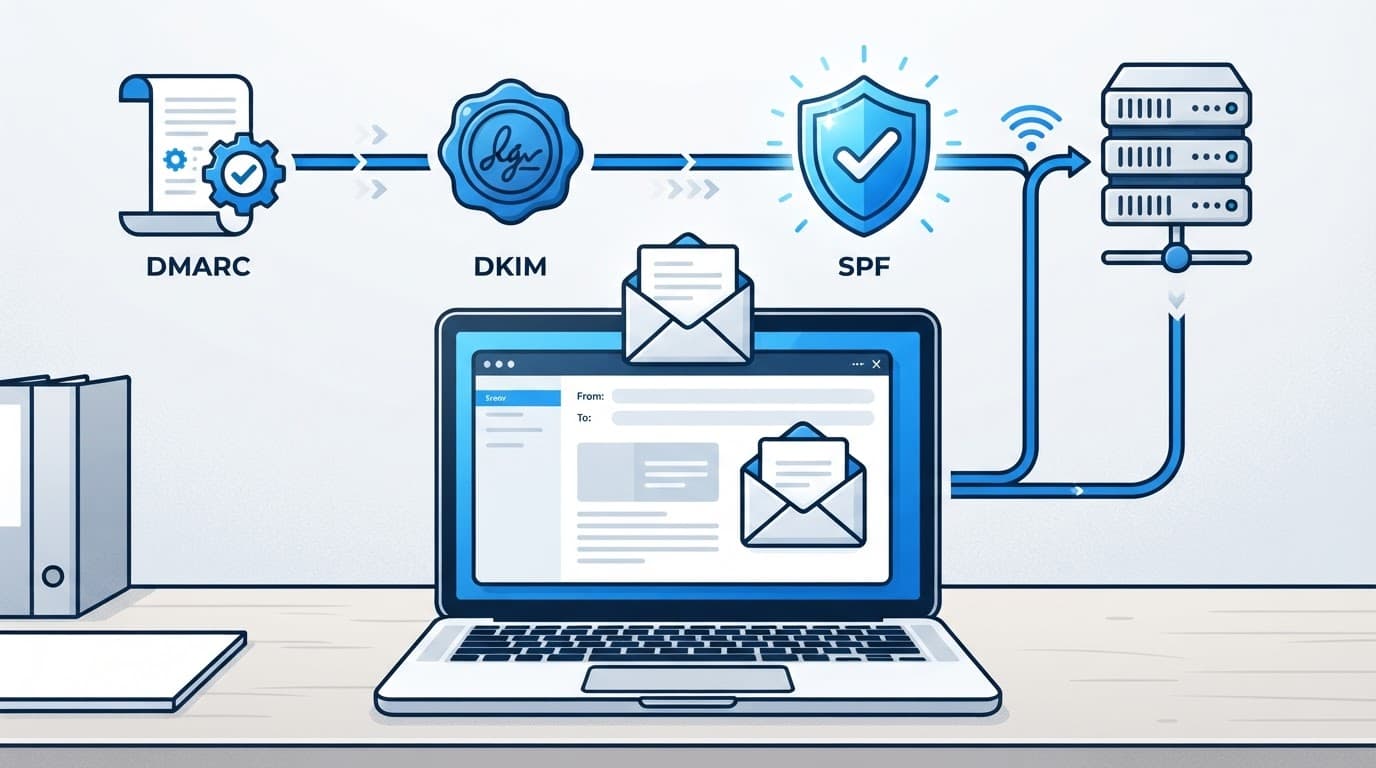
SPF, DKIM, and DMARC work as separate checks that support one another. NIST’s overview of email authentication describes the same division: SPF validates sending infrastructure, DKIM protects message integrity, and DMARC applies domain-level policy.
SPF checks the sending route
Sender Policy Framework, or SPF, publishes the mail servers and services allowed to send for your domain. A receiving email server compares sending IP addresses with the published DNS TXT record. It authorizes sending infrastructure, rather than proving the visible From address.
SPF checks the envelope sender, often shown as the Return-Path. It doesn’t validate the address customers see, so a message can pass SPF while displaying a different visible From domain.
Forwarding also causes trouble. When a forwarded message leaves another server, that server may not appear in the original sender’s SPF authorization list.
DKIM verifies the message signature
DomainKeys Identified Mail, or DKIM, adds a cryptographic signature to outgoing messages. Your email provider holds the private key, while the public key is published in DNS.
Receiving servers use the matching DNS record to confirm the message came from an authorized signer and wasn’t materially changed in transit. Unlike SPF, this digital signature often survives ordinary forwarding because it verifies the signed message rather than the sending IP.
DMARC connects the checks to your brand
DMARC, or Domain-based Message Authentication, Reporting, and Conformance, uses SPF and DKIM results. It compares them with the domain in the visible From field, a process called domain alignment.
DMARC passes when either SPF or DKIM passes and aligns with the visible From domain. Under relaxed alignment, related organizational domains can qualify. Together, these checks give your domain a way to identify legitimate mail and tell receivers how to treat failures.
Why Email Authentication Matters for Small Businesses
Email authentication helps reduce direct email spoofing and some phishing attacks that use your company name, domain, or staff identities. It also supports reliable email deliverability for estimates, invoices, appointment reminders, password resets, and marketing messages.
Authentication doesn’t guarantee inbox placement. Message quality, complaint rates, recipient engagement, and sending patterns still affect delivery. Yet an unauthenticated domain starts at a disadvantage.
Google’s requirements raised the baseline
Google’s current email sender guidelines classify bulk senders as those that send roughly 5,000 or more messages to personal Gmail addresses in 24 hours. These senders need SPF, DKIM, and DMARC, plus domain alignment and one-click unsubscribe for marketing mail.
Most local businesses won’t hit that daily volume, so they won’t be treated as bulk senders. Still, I recommend following the same authentication standard. A company shouldn’t wait until it has a delivery problem, or until a spoofed payment request reaches a customer.
Yahoo also expects authenticated mail
Google and Yahoo are major mailbox providers. Yahoo’s sender best practices also emphasize SPF, DKIM, and DMARC as part of responsible email delivery. Both mailbox providers apply their strongest requirements to large senders, but the customer who receives an invoice cannot tell whether your company sends 50 or 50,000 messages a day.
Your visible From address should match the domain you control. That simple discipline makes every later authentication decision easier to understand.
Build a Complete Sender Inventory First
Before changing any DNS record, identify all authorized senders that can use the business domain. A complete inventory keeps later record changes accurate.
List systems that send under your domain
Start with your primary mailbox provider and any one-time tools used for special campaigns. Then review your CRM, marketing platform, online forms, appointment system, accounting software, point-of-sale tools, website plugins, and scanners that email PDFs.
Don’t overlook abandoned services, inherited agency accounts, discontinued newsletter accounts, or third-party form plugins. Mark each as active, retired, inherited, or one-time so you know what still needs attention.
A useful inventory records the platform name, sending domain, responsible employee, current SPF instructions, DKIM selector, and whether the service still sends mail.
Confirm who controls DNS
Ensure the domain owner controls the domain registrar or DNS host, and document the recovery email, existing records, and current nameservers. Use named administrator access for each authorized person instead of shared logins.
If your self-audit finds DNS, hosting, and website accounts are hard to untangle, managed website and email support can help establish clear ownership and document the current setup.
Build SPF Records Without Creating New Failures
SPF, or Sender Policy Framework, is often the first record a business publishes. Each domain should publish one SPF record in a DNS TXT record, covering every relevant service. It looks simple, but a crowded record can fail even when each sender appears legitimate.
Publish one SPF record for each domain
A domain should have one SPF record. That single record should account for all authorized senders, but multiple SPF records create conflicting instructions.
Your record begins with v=spf1 and lists approved sources. It must include every legitimate service, not only the main email platform. I don’t copy an SPF example from a vendor without first checking whether that vendor still sends mail for the business.
The email authentication specifications explain SPF as a path-based check of the envelope sender. The receiving email server checks the sending system’s IP addresses against that domain, not the visible From address. That’s why an SPF record needs to reflect the actual systems that deliver mail.
Respect the 10 DNS lookup limit
SPF permits ten DNS-querying lookups during evaluation. Nested include and redirect mechanisms, along with a and mx, can trigger additional lookups. A record can look short while hiding a long chain of vendor records underneath.
When the ten-query cap is exceeded, receivers can return a permanent SPF error. Remove unused providers first, then consolidate legitimate services where possible. Don’t add a second SPF record as a workaround.
Treat forwarding as a separate issue
A failed SPF result on a forwarded message doesn’t always mean your original sending configuration is wrong. The forwarding server may not be authorized by your domain’s SPF record.
This is one reason DKIM matters. When the DKIM signature remains valid and aligned, DMARC can still pass even if forwarding breaks SPF.
Add DKIM Signatures for Every Sending Platform
DomainKeys Identified Mail (DKIM) is a provider-managed signing process that shows an approved domain signed the message. Its digital signature remains useful when delivery routes change after the message leaves your email provider.
Use a DKIM selector to keep providers separate
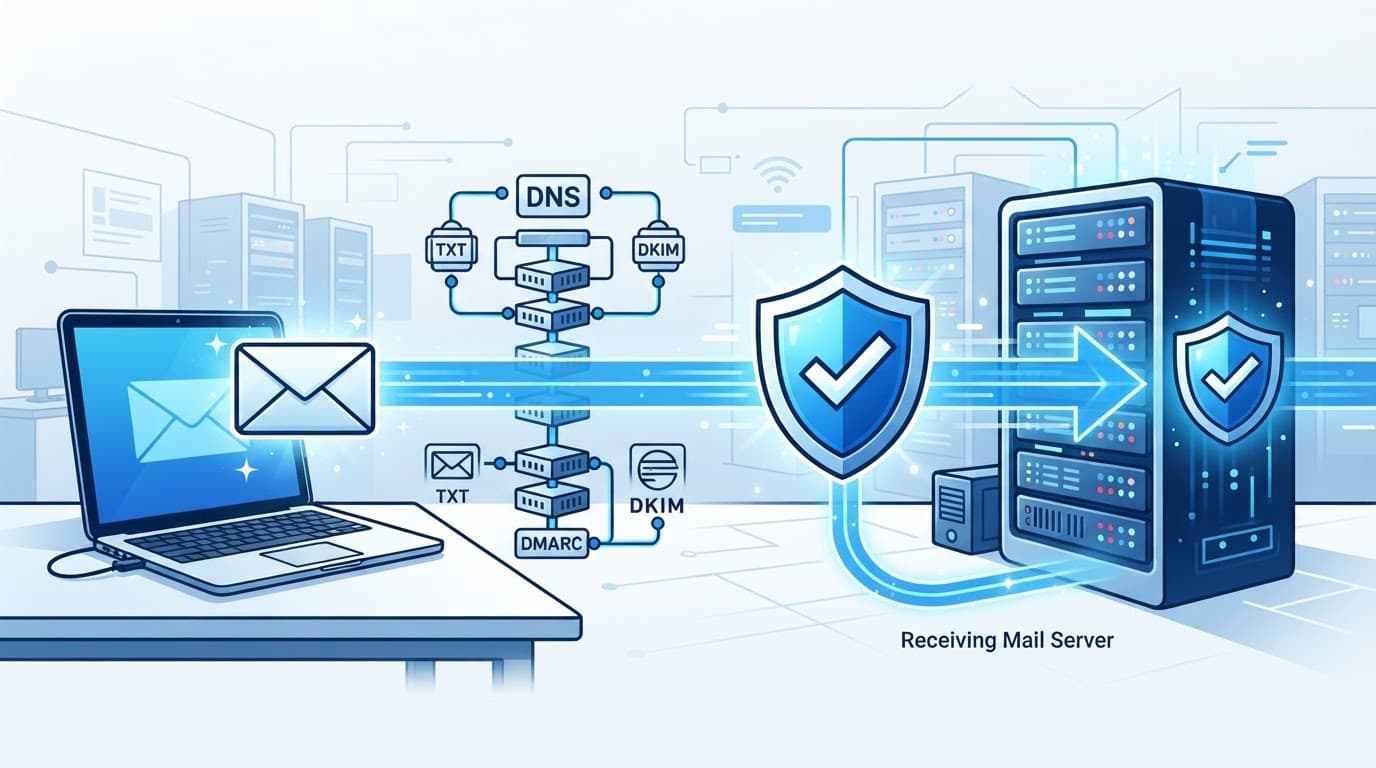
Each DKIM-enabled platform normally creates a distinct DKIM selector and asks you to publish a public key in a specific DNS location. The provider protects the private key used to sign messages.
The lookup usually follows this pattern: selector._domainkey.yourdomain.com.
Selectors let several systems sign mail without overwriting one another. For example, Google Workspace might use one selector while your email marketing platform uses another. Keep a record of which selector belongs to each vendor.
Find the selector in an email header
Send a test email to a Gmail or Outlook mailbox, then inspect the original email headers. Look for a DKIM-Signature line.
The d= value identifies the signing domain. The s= value identifies the selector. If the header shows d=example.com and s=mail1, the DNS record should be found at mail1._domainkey.example.com.
A DKIM failure can result from a missing DNS entry, an incorrect selector, DNS propagation delay, or a service that modifies signed content, weakening message integrity. Test messages after each provider change instead of assuming a published record works.
Move DMARC From Monitoring to Enforcement
DMARC is where separate checks become business policy, and email authentication becomes enforceable. Your DMARC TXT record sits at _dmarc.yourdomain.com. It tells receiving servers what to do when unauthenticated mail claims to come from your domain.
Start with monitoring mode
Most businesses should begin with p=none. This DMARC policy requests reports without asking mail providers to quarantine or reject failing messages.
I use this period to identify forgotten senders, misaligned marketing platforms, and suspicious sources. DMARC reporting arrives as aggregate XML files. A reporting service can make them easier for the domain owner to review.
A DMARC record set to
p=noneprovides visibility, but it does not stop spoofed mail.
Advance only after legitimate senders align
DMARC offers three primary policies, from monitoring to quarantine and rejection. The DMARC policy reference describes how these instructions are published for receiving systems.
As report data accumulates, review this policy before advancing. When all legitimate senders pass aligned SPF or DKIM and domain alignment is confirmed, move to DMARC enforcement with p=quarantine.
p=quarantine asks receiving systems to treat failing mail as suspicious, often placing it in spam. After continued monitoring, move to p=reject, which asks receivers to refuse mail that fails DMARC.
I also test subdomains, because a forgotten news.example.com or mail.example.com sender can create a gap. DMARC enforcement should be gradual, measured, and based on report data.
Troubleshoot Authentication Failures Methodically
Authentication headers can look intimidating, yet email authentication results usually show which layer is failing. Check the failing result, identify the platform that sent the message, then change one variable at a time.
Match each failure to its likely cause
Common patterns include:
- An SPF
permerroroften points to too many DNS lookups or conflicting SPF records. - A DKIM failure can indicate a missing or outdated DKIM selector, a selector mismatch, or an email footer that alters signed content.
- A DMARC failure often means the visible From domain doesn’t align with the domain that passed SPF or DKIM.
Save the original message’s email headers before making changes. They provide IP addresses, the Return-Path, DKIM domain, selector, and authentication results needed to identify the sender and route.
Test, document, and rotate keys carefully
I keep the previous DNS value, note the time-to-live setting, publish one change, and test mail from every approved platform. That sequence makes it easier to find the real cause if delivery changes.
DKIM key rotation needs the same care. Add and verify the new selector first, switch the provider to use it, confirm signed delivery, then retire the old key. If your company lacks DNS access or has several vendors sending mail, Contact Us for help reviewing the records and rollout plan.
Frequently Asked Questions
What is the difference between SPF, DKIM, and DMARC?
SPF verifies whether the sending server is authorized for your domain. DKIM verifies a message signature, while DMARC checks SPF and DKIM alignment with the visible From address and applies a policy to failures.
Does a small business need SPF, DKIM, and DMARC?
Yes. Even businesses that send relatively few messages benefit from stronger protection against spoofing and more reliable delivery for invoices, estimates, reminders, and other important email.
Can SPF, DKIM, and DMARC guarantee inbox placement?
No. Authentication supports deliverability but does not guarantee that messages reach the inbox. Message quality, complaint rates, recipient engagement, and sending patterns also affect delivery.
What DMARC policy should a business use first?
Most businesses should begin with p=none to collect reports and identify forgotten or misaligned senders. After legitimate platforms pass aligned SPF or DKIM, move gradually to p=quarantine and then p=reject.
Conclusion
SPF, DKIM, and DMARC protect email deliverability and customer trust when they reflect how your business actually sends email. The strongest configuration begins with a complete sender inventory, then moves through testing and monitoring before enforcement.
I treat SPF DKIM DMARC as ongoing email authentication maintenance, not a one-time DNS change. I review the records as mail systems evolve, so customers have fewer reasons to doubt messages carrying your name.