

A local service website can lose visitors before they ever read the page when its images lack useful descriptions. Image alt text gives visual content a meaningful text-based substitute for people using a screen reader, while providing search engines with more context.
When I review a service business website, I often find descriptions replaced by file names, repeated keywords, or vague phrases such as “photo.” These details affect image optimization, digital content quality, and the user experience. Understanding each image’s role helps create accurate descriptions that may preserve opportunities for relevant image traffic, but cannot guarantee rankings.
Key Takeaways
- Write alt text to explain an image’s purpose in the context of the page, not to describe every visible detail.
- Focus on the main subject, relevant action or result, and location details only when they are visible and genuinely useful.
- Use empty alt text (
alt="") for decorative images, action-based wording for linked images, and supporting text for complex charts, maps, and diagrams. - Treat alt text as part of accessibility and broader image optimization, not as a hidden keyword field or a guarantee of search rankings.
- Audit important service and location pages first, then review descriptions manually because automated tools and AI-generated drafts can miss context or accuracy problems.
How image descriptions support a local website
Image alt text is a short written substitute for an image, a text equivalent that conveys its purpose. A screen reader reads it aloud when a visitor cannot see the image. The text may also appear when an image fails to load, although browsers handle that display differently.
The best description explains the image’s purpose within the page. It doesn’t attempt to record every visible detail. For example, a photo on an HVAC service page may identify a technician inspecting an air conditioner. It probably doesn’t need every tool, wall color, or object in the room.
Screen readers depend on this information to understand service photos, team images, logos, buttons, and diagrams. Assistive technology can use it to support a better user experience. In HTML, developers add this information through alt attributes. If an image links to a contact page, its wording should communicate the action, such as “Contact our plumbing team,” rather than “plumbing image.”
If section 508 applies to your organization, accessibility guidelines for visual content can help make images accessible. The official Section 508 alternative text guidance provides detailed direction. Small businesses may not fall under the same federal requirements, but accessible content still improves the experience for more customers.
Alt text can also help when a visitor has a slow connection, an image is blocked, or a technical error prevents the file from loading. For local businesses, that backup supports understanding and may give the page a secondary presence in image search. It doesn’t guarantee rankings, but a broken photo should not remove the visitor’s understanding of the service being offered.
Alt text should describe what the image does for the page, supporting web accessibility rather than listing everything a person could see in it.
How to write image alt text for local service pages
I start by reading the page around the image. The same photograph may need different alternative text on a homepage, service page, portfolio entry, or blog post. Context shapes the user experience and determines which detail deserves attention.
I use these alt text best practices when writing each description:
- Identify the main subject, such as a technician, service vehicle, completed installation, product, or business location.
- Describe the relevant action or result, such as repairing a pipe, installing a ceiling fan, or inspecting a roof.
- Add a location detail only when it is visible or directly important to the page.
- Remove information that the surrounding paragraph already provides.
- Read the finished description aloud and cut anything that doesn’t help a screen reader understand the image.
A useful working target for alt text is under about 125 characters. That length keeps descriptive text easy for screen readers to hear and scan, but it isn’t a universal legal cutoff. Some photographs need more explanation, which belongs in nearby page text or a separate long description.
The wording should sound like normal language. For example:
- “Technician inspecting an outdoor air conditioner beside a home”
- “Electrician installing a ceiling light in a residential kitchen”
- “Finished tile shower with glass enclosure and wall niche”
- “Three technicians standing beside a service van”
Weak alternatives would include “HVAC repair Fort Myers best company,” “plumber plumbing plumbing,” or “IMG_4821.” The first uses keywords instead of describing the image. The second is keyword stuffing. The last is only a file name.
I also avoid starting every description with “image of” or “picture of.” An image is usually identified before its description is read, so those words add little value. The description should move directly to the subject.
For more technical guidance, Google’s helpful alt text instructions recommend explaining the image in context and avoiding a repeat of nearby text.
Choosing alt text for service photos, logos, and decorative images
Different image types need different treatment. Image alt text should reflect an image’s purpose, while alternative text should not merely repeat visible detail. A local service website often includes several kinds of visual content, each with a different role in its digital content. Applying one rule to every image can weaken the user experience.
Service and team photographs
A service photo should explain the work a customer can expect. Effective alt text focuses on the person, equipment, action, or completed result that supports the page.
“Worker holding tools” is too vague for a home repair page. “Technician replacing a water heater in a utility room” gives the visitor a clearer understanding of the scene.
Team photos need similar care. If the names appear in nearby text, don’t repeat all of them in the image’s label.
A photo of a finished project should describe the visible result. “Completed paver walkway leading to a front entry” tells more than “landscaping project.” I keep the description factual and avoid claims such as “best installation in town” that the photo cannot prove.
Logos, linked images, and decorative images
A logo that links to the homepage can use the business name as its alt text. A standalone logo may use the company name without adding “logo,” depending on the surrounding content.
Images used as buttons need action-based wording. If a phone icon starts a call, an accessible label should identify the action, such as “Call the office.” The exact implementation may use an accessible label on the link, but the principle remains the same.
Decorative images should have an empty alt attribute, written as alt="". This tells screen readers and other assistive technology to skip the image instead of announcing an irrelevant file. Examples include background shapes, visual dividers, and stock photos that add no information beyond the text already present.
Complex images: charts, maps, and diagrams
Complex images require more than a short label. Their alt text should identify the subject and provide a concise text equivalent. Follow it with descriptive text or a written summary of the important trends or data.
For example, “Bar chart showing service calls rising from January through April” gives a basic overview. The page should then provide the actual figures in text if those numbers matter to the reader.
The same approach works for maps and process diagrams. Describe the purpose first, then provide the details in surrounding copy. Harvard’s alt text examples and guidance offer useful accessibility guidelines for informative, decorative, and data-rich visuals.
Using alt text for local SEO without stuffing
Search engines can’t interpret every visual detail the way a person can. Image alt text, also called alternative text, gives crawlers additional context when an image closely relates to the page’s subject. It can also support image visibility, although descriptions alone won’t produce higher rankings.
I treat alt attributes as one part of the larger page signal that supports search engine optimization and image optimization. The page title, heading, service description, caption, file name, internal links, and structured data should all describe the business accurately. When those elements disagree, changing the image description won’t solve the underlying problem.
Location terms require restraint. Add a city or neighborhood when the image genuinely relates to that place or the page clearly serves that area. A photo of a technician at a recognizable Fort Myers property may attract relevant image traffic from image search, but it doesn’t guarantee organic traffic. A generic stock photograph does not become local because “Fort Myers” was added to its description. Unsupported city names or service phrases amount to keyword stuffing.
I also avoid using the same alt text across every service page. A repeated phrase makes the website feel careless and weakens the user experience by giving visitors the same information again and again. Specific descriptions should match the actual image and the page’s conversion goal.
This work fits best with broader web design and SEO services that keep content, technical details, and lead generation aligned. An accurate image description cannot compensate for an outdated phone number, broken form, or unclear service page.
Adding and auditing alt text in WordPress
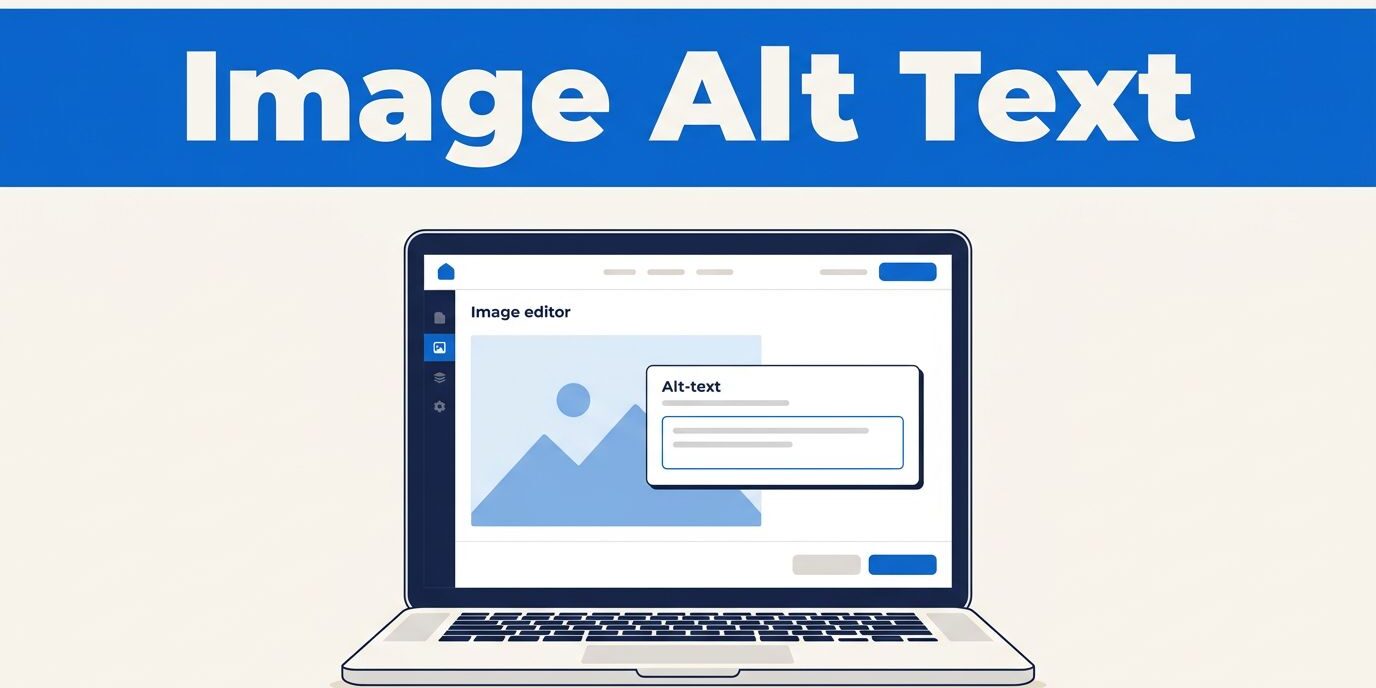
In WordPress, like many content management systems, you can usually add image alt text through the Media Library or image block inside the page editor. The relevant field may be labeled alternative text. I prefer reviewing the image in its final page context because nearby content affects the wording.
Before publishing, I check four details:
- The alt text explains an informative image’s purpose and gives assistive technology useful context.
- Decorative images use an empty alt attribute.
- Linked images describe the link destination or action.
- Complex images, including charts and diagrams, have supporting text nearby.
For an existing website, I don’t rewrite every image at once without a plan. I prioritize image optimization on pages that generate calls, quote requests, and appointments. These high-conversion pages often have the greatest effect on user experience. Next, I review important service pages and location pages.
Automated accessibility scanners can find missing alt attributes, but they cannot reliably judge whether a description is accurate. An image alt text generator can draft options for a large image library, but generated drafts always require human verification. AI may invent a location, misidentify a tool, or describe a person incorrectly.
A practical workflow for a larger site is to export page URLs, image URLs, existing descriptions, and image purpose into a spreadsheet. This digital content inventory makes revisions easier to track. Classify each image as informative, functional, decorative, or complex. After revisions, crawl the site again and manually review a sample of the alt text from every page template. For broader web accessibility checks, inspect the html source code and include applicable section 508 requirements in the review.
Common alt text mistakes that hurt local websites
The most common mistake is treating alt text as a hidden keyword field. Keyword stuffing harms usability because screen readers hear the same words users see in the markup. A string such as “roof repair roofing contractor roof replacement near me” fails both audiences.
Another problem is writing alt text that duplicates visible captions. If the caption already says “Emergency drain cleaning available 24 hours,” the alt text should describe the photo rather than repeat the offer.
I also see businesses leave file names unchanged, use the same description for several different photos, or add unnecessary details about color and appearance. Those habits make the site harder to maintain and less useful to visitors.
Review each description whenever you replace a service photo, change a page’s purpose, add a new location, or redesign a template. Classify the image purpose correctly, including decorative images, when photos or templates change. Keep the wording accurate as the business changes. If your website needs a broader usability, accuracy, or accessibility review, you can Contact Us for a consultation.
Frequently Asked Questions
What is image alt text?
Image alt text is a short text-based substitute that explains an image’s purpose. Screen readers can read it aloud, and it may help visitors understand the content when an image does not load.
How long should alt text be?
A useful working target is under about 125 characters, but there is no universal cutoff. Some images need more explanation, which can be provided in nearby page text or a separate long description.
Should local businesses add city names to alt text?
Add a city or neighborhood only when the image genuinely relates to that place or the page clearly serves the area. Adding unsupported locations or repeated service phrases is keyword stuffing and does not guarantee better rankings.
What alt text should decorative images use?
Decorative images should use an empty alt attribute, written as alt="". This tells screen readers and other assistive technology to skip visuals that do not add information beyond the surrounding content.
Can an alt text generator create accurate descriptions?
An image alt text generator can draft options for a large image library, but every draft requires human verification. AI may invent a location, misidentify equipment, or describe a person incorrectly.
Conclusion
Good image alt text gives local service websites a clearer voice. Alternative text supports accessibility and helps people understand your services when images fail. Accurate descriptions give search engines context, supporting relevant organic traffic and image traffic without promising rankings.
I write each description as alt text for the customer, not for an algorithm seeking repeated phrases. I treat image optimization as part of maintaining a trustworthy local website. When the subject, action, and page purpose align, even a short description can strengthen user experience.