

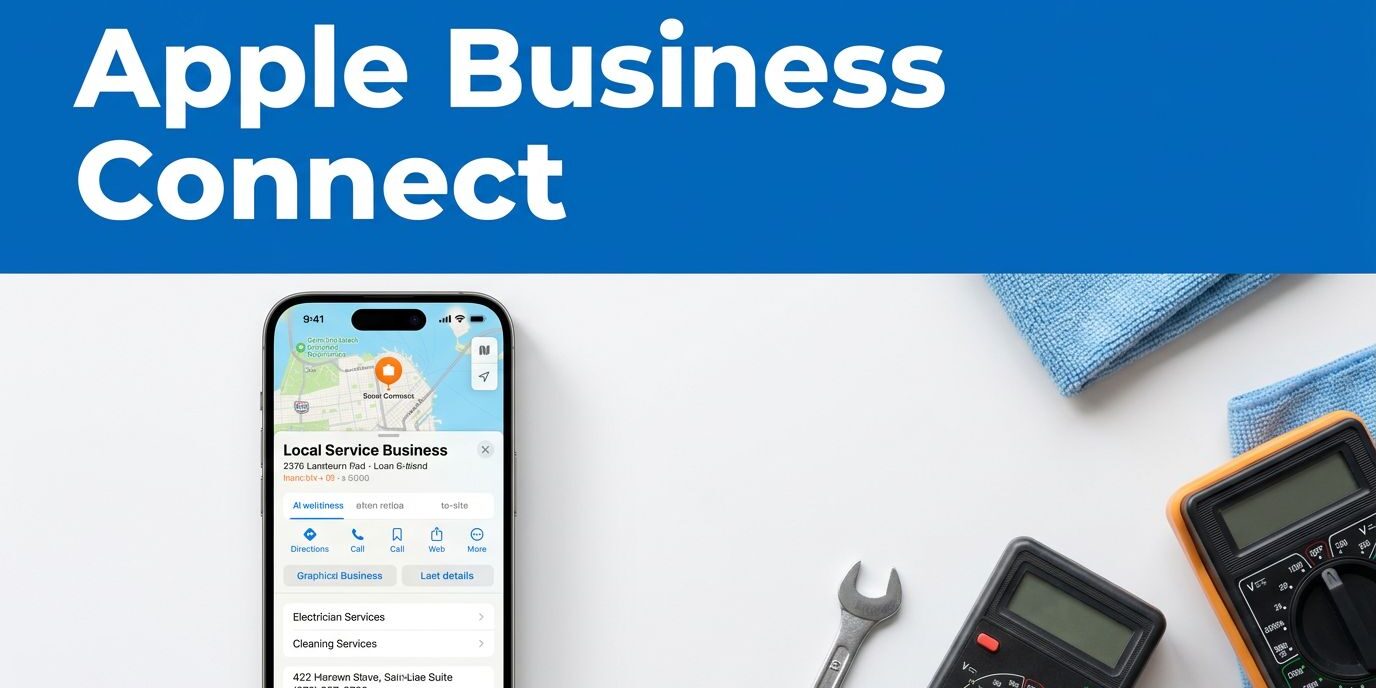
A customer searching for an HVAC company, electrician, or cleaning service may find your business through Apple Maps before visiting your website. If the listing shows an old phone number, poor photos, or incomplete hours, you can lose the call before the customer sees your work.
I approach Apple Business Connect setup as a local visibility and business marketing project, not a simple profile claim. The process connects your Apple Maps presence, brand assets, customer actions, and, if needed, Apple Branded Mail. Here is how I organize the work so each part supports the next.
Key Takeaways
- Treat Apple Business Connect setup as a local visibility project that connects accurate Apple Maps information, brand assets, and customer actions.
- Claim the existing Apple Maps listing when possible, keep business details consistent, and complete Apple’s verification process with accurate supporting information.
- Use service-area settings, current photos, clear descriptions, and mobile-friendly call, booking, or quote links to help customers take the next step.
- Set up Apple Branded Mail separately with a verified business domain, correct SPF, DKIM, and DMARC records, and the required DNS verification.
- Review listings, hours, contact details, connected systems, and performance regularly so outdated information does not return.
What Apple Business Connect manages
Apple Business Connect gives businesses control over information displayed across Apple Maps and related Apple experiences. Depending on your account and region, you can manage locations, business details, logos, photos, hours, website links, and custom actions.
A local service business can use custom actions to guide customers toward a useful next step, such as requesting an estimate, booking an appointment, or calling the office. Those actions matter because many local searches happen on phones, where customers want a direct path to contact.
Apple is also bringing business identity and management tools into a broader Apple Business experience. Apple Branded Mail is an adjacent identity and email feature within the wider Apple ecosystem. The Apple Business Connect User Guide is useful when menu names or account options differ from what you see in older tutorials.
I keep three goals separate during setup:
- Accurate location and contact information for Apple Maps.
- Consistent visual branding across Apple services.
- A clear customer path to call, book, request a quote, or visit the website.
That separation prevents a common mistake: trying to solve a listing problem with an email feature, or buying device management tools that a small service company does not need.
Apple Business Connect setup starts with accurate business details
Before opening the Apple Business Connect dashboard, I gather the information Apple will use to verify the company. Use the legal business name that matches your registration and other official records. Avoid adding extra keywords to the name, such as “best plumber” or a list of services.
Prepare the following:
- Your Apple Account with permission to create or manage the business.
- The company’s legal name and official contact details.
- The primary business phone number.
- The website address that represents the company.
- The correct business category.
- Regular and holiday hours.
- The physical address or service-area information that fits the business model.
- A square brand logo in JPG, PNG, or HEIF format.
For a safe logo upload, I prepare a clean square file at 1024 x 1024 pixels or larger. The logo should remain recognizable at a small size, with enough space around the mark and no tiny text. Apple may apply current resolution requirements within the upload screen, so I confirm those limits before submitting.
The phone number and website should match the information customers find elsewhere. I also check the company’s major directories and social profiles. Inconsistent business name, address, or phone information can create confusion for both customers and local search systems.
Claim the Apple Maps listing and complete verification
After signing in to Apple Business Connect, create or select the business organization, then search for the existing location. If Apple already has a listing, claim it instead of creating a duplicate. Duplicate locations split customer feedback and make future corrections harder.
Add or confirm the core listing details:
- Use an Administrator account to search for the business name and location.
- Select the correct existing place, if one appears.
- Claim the listing or add the business as a new location.
- Enter the official business name, category, phone number, website, and hours.
- Check the map pin and address carefully.
- Upload the square brand logo and approved photos.
- Submit the business for verification.
Apple may request supporting documents or other proof that you represent the company. Keep the business name, address, phone number, and website consistent across those documents. A mismatch can delay approval or create another verification request.

A service business needs extra care at the map stage. If customers do not visit your office, do not present a private residence or an inaccurate address as a public storefront. Use the service-area option available in your account when appropriate, then make the phone number, booking link, and website the main conversion paths.
Make the listing useful for local service customers
A map listing should answer the questions customers ask before they call. Can you serve their area? Do you handle emergency work? Do you offer estimates? When are you available?
I write the description for clarity rather than stuffing it with every service and neighborhood. Select the primary category that best describes the business, then add supporting services where Apple allows them. A company that mainly repairs air conditioners should not make “air conditioning repair, installation, maintenance, cooling, heating, Fort Myers” its business name.
Current photos of the team, vehicles, equipment, and completed work build customer trust and reinforce brand recognition. A local service customer often wants proof that the business is active and professional. Replace outdated photos after a rebrand, move, or major change in the services offered.
Custom actions should match the page’s main goal. A repair company may prioritize “Call” or “Request a Quote.” A salon may send customers to booking. A home service company with several service lines may use a website link that leads to a mobile-friendly service page instead of a generic homepage.
The destination must work on a phone. I test the phone link, quote form, booking page, and confirmation message from an iPhone before considering the listing complete. A customer who cannot submit a form or find the next step will not care that the map profile looks polished.
Add Apple Branded Mail with proper email authentication
Apple Branded Mail is a separate part of the setup. It can display a verified business identity in Apple Mail, helping recipients distinguish legitimate messages from suspicious senders. It can reduce confusion around phishing and spoofing, but it cannot replace normal email security practices.
Start with a commercial domain that the business owns. Free consumer domains such as Gmail or Outlook generally do not qualify as the company’s branded domain. You also need access to the domain’s DNS settings and an Administrator account with permission to manage Branded Mail.
Before adding the domain in Apple Business Connect, check these email authentication records:
- SPF settings identify the mail servers allowed to send messages for the domain.
- DKIM protocols add a cryptographic signature to outgoing mail.
- DMARC tells receiving systems what to do when a message fails authentication.
Apple Branded Mail setup generally requires a DMARC policy set to quarantine or reject. A policy of p=none is useful for monitoring, but it does not provide the enforcement Apple expects for this feature. Your email provider must also have valid SPF and DKIM settings.
I recommend checking email authentication with your email provider before changing anything. Confirm the DMARC record matches the provider’s requirements. Add only one SPF record at the domain root, because multiple SPF records can cause authentication failure. DKIM records usually come from the mail provider, while the DMARC record belongs at _dmarc.yourdomain.com.
The domain verification process follows this order:
- Sign in with an Administrator account that can manage Branded Mail.
- Open Brands, then choose Branded Mail.
- Select Add in Apple Business Connect and enter the top-level domain or a subdomain.
- Copy the unique TXT record Apple provides.
- Publish that TXT record in your DNS provider.
- Return to Apple Business Connect and select Verify.
- Complete the setup after Apple confirms the record.
A TXT record on the root domain can cover its subdomains. A record placed only on a subdomain verifies that subdomain, so I choose the placement based on the email addresses the company plans to use.
DNS recognition may take only a few minutes, but final approval can take several days. I tell clients to allow roughly five to seven business days for the review, without treating that as a guarantee. Apple also gives a 14-calendar-day window after generating the TXT record. If the record is not verified within that period, you may need to restart the process.
The Branded Mail configuration guide provides a useful technical reference for the domain, approved brand logo, and authentication prerequisites.

Manage administrators, subdomains, and device tools
Use role-based access instead of sharing one Apple Account with everyone. The owner can keep primary control while a marketing employee, office manager, or web professional receives the access needed for daily updates.
Administrators with the correct permissions can add or remove approved email addresses and subdomains in Apple Branded Mail. Removing a domain from Apple does not automatically remove its DNS records, so I document each change and clean up records at the DNS provider when they are no longer needed.
Apple Maps management and device management are separate decisions. You can manage a business listing without purchasing a device plan or storage subscription. If your company needs managed Apple Accounts, security controls, device enrollment, or shared business storage, Apple offers paid plan options with different device and storage allowances.
Prices and available tiers can change by country and account type. I check the current Apple Business plan details before budgeting. For a small service company with a few iPhones, those tools may be unnecessary. A larger company with field technicians and company-owned devices may find centralized management worthwhile.
Keep Apple Maps listings accurate after approval
Approval is the beginning of maintenance. I review the listing after a move, rebrand, phone-number change, new service, or holiday-hours change. A full local citation audit once or twice each year can also catch old information that continues to appear elsewhere.
Pay close attention to connected systems. Scheduling platforms, CRM tools, data aggregators, and other third-party vendors can push outdated information back into a listing. If an old phone number keeps returning, I look for the source that is overwriting the correction.
I also review Apple Maps insights and compare calls, website visits, and booked jobs with the listing’s activity. Visibility matters, but the useful measure is whether customers can take the next step. Businesses that need a stronger mobile website can review responsive website design services that support local calls and form submissions.
Frequently Asked Questions
What is Apple Business Connect?
Apple Business Connect lets businesses manage information shown across Apple Maps and related Apple experiences. You can control details such as locations, hours, logos, photos, website links, and customer actions.
Can a service-area business use Apple Business Connect?
Yes, when the account provides an appropriate service-area option. Avoid presenting a private residence or inaccurate address as a public storefront, and make the phone number, website, booking link, or quote form the main customer paths.
What information should I prepare before setup?
Prepare your legal business name, primary phone number, website, category, regular and holiday hours, location or service-area details, and a square logo. You should also have an Apple Account with permission to create or manage the business.
What does Apple Branded Mail require?
Apple Branded Mail generally requires a domain the business owns, access to its DNS settings, and valid SPF, DKIM, and DMARC authentication. Apple typically expects DMARC to use a policy of quarantine or reject, followed by TXT-record verification.
How often should I update my Apple Maps listing?
Review the listing after changes to the business name, address, phone number, services, branding, or holiday hours. A broader local citation audit once or twice a year can help identify outdated information being pushed by directories or third-party systems.
Conclusion
A successful Apple Business Connect listing starts with accurate business records, a verified map listing, a useful customer action, and a brand logo that holds up at small sizes. Apple Branded Mail adds another layer, but it depends on proper email authentication, including SPF, DKIM, DMARC, and DNS verification.
I treat the listing as part of the company’s wider local presence. When the map profile, website, phone number, hours, and email identity agree, customers have fewer reasons to hesitate. If you need help reviewing your local visibility and website path, Contact Us for a free consultation.