

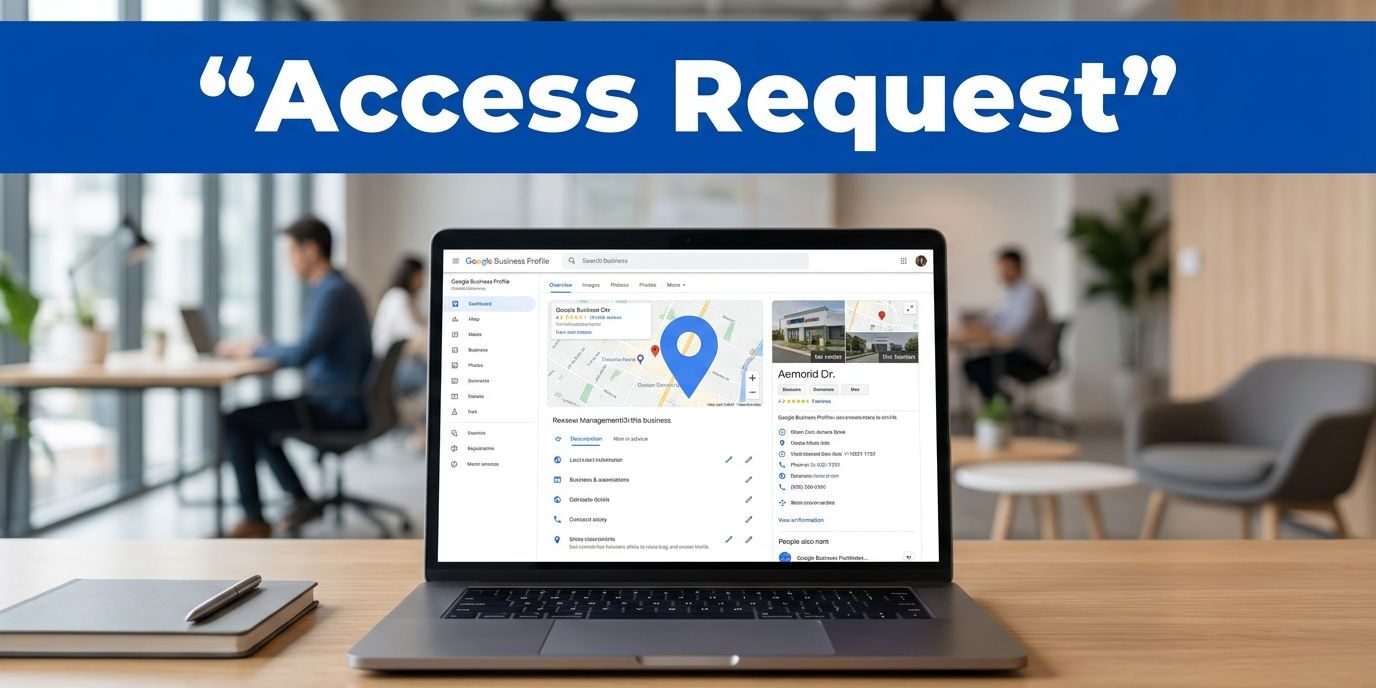
Securing google business profile access often becomes an awkward process when another owner already controls the listing. I frequently see this happen when a partner, a past agency, or a former employee still maintains control of the Google Business Profile. The fix is simpler than most business owners expect, but I prefer to follow a specific sequence to ensure everything is handled correctly. I start with the request path, and then I handle the follow-up if the current owner remains unresponsive.
Key Takeaways
- Never create a duplicate listing if a profile is already claimed; instead, use the official request process to gain access to the existing account.
- Maintain consistency in your business details—such as name, address, and email—to avoid verification hurdles and speed up the approval process.
- Keep your request simple and professional, providing a clear explanation of who you are and why you need access to the profile.
- If your request is ignored, use the formal dispute process via the Business Profile Manager dashboard to initiate a transfer of ownership once your identity and connection to the business are verified.
First, I check who actually controls the profile
I separate access from ownership before I touch anything. If I need to manage the Google Business Profile myself, I begin the process to request ownership of the account. If I already control the business listing and want to add someone else, I use the Business Profile settings instead.
I never create a second listing just because the first one is locked. That usually makes the cleanup worse. Google’s help page for requesting ownership of a Business Profile walks through the same basic flow I use, which starts by searching for the business name and address through Google Search and Maps.
I never solve a claimed profile by making a duplicate. I ask for the right access first.
The request I send to the current owner
Once I confirm the profile is already claimed, I navigate through the request form step by step.
- I sign in using the Google account that I want to associate with the listing.
- I search for the company on Google Search and Maps to ensure I have the right profile.
- If Google indicates the profile is already claimed, I look for the option to request access to the listing. If I see a link that says claim this business, I click that to begin the process.
- I then select request ownership from the options provided.
- I fill in my contact details and provide accurate business information, as this explains why I need access and helps the current owner verify my identity.
- I submit the request through my Google account and wait for the reply.
I keep the process simple, as the official form handles most of the technical heavy lifting.
The current owner receives the notification and can choose to approve or deny the request. I keep my inbox open and save every message, because small details matter if I need to follow up later.
What I keep ready before I submit
I keep the basics in front of me so I do not slow down the request. My name, business email address, and phone number should be easy to confirm. I also verify that the email address I use for correspondence is professional and tied to the organization. Furthermore, I make sure the business information matches the website, invoices, and other public listings. This level of consistency is vital for local SEO, especially if the company is a service-area business or manages multiple locations, as mismatched data can create red flags during the verification process.
When the website needs the same cleanup, I review professional web design and SEO services so the business details stay aligned. That matters more than people think, because a messy website can make a Google Business Profile request harder to explain.
If I am filling out the form for a client or a location I manage, I write a short reason for access in plain language. I do not overdo it. A simple explanation is better than a long pitch. Google mainly needs to know who I am and why I should be inside the account.
What I do while I wait
While I wait, I resist the urge to keep resubmitting the request. One clean request is easier to track than three half-finished ones. I check my email, spam folder, and Google notifications to see if the request has been processed.
If the current owner approves the request, I can move straight into the profile. If they ignore it, I do not guess at next steps. I follow the official help path and keep my notes organized until I have full control over the Google Business Profile.
When I already control the profile and only need to grant access to a team member, I navigate to the Business Profile settings. From there, I select the People and access section to manage the account. This is where I invite new team members, add users, or remove users as needed. Within these settings, I can assign specific user roles, such as the manager role or primary owner, depending on the level of responsibility required. Keeping these invitations organized ensures that every time I invite a colleague, I have clearly defined their permissions. By maintaining these user roles correctly, I keep access changes clear and avoid confusion later.
If the request gets denied or ignored
A denial usually tells me something useful. Sometimes the contact information does not match the business record, or the person reviewing the request does not understand why I need access to the Google Business Profile. I read the reply carefully and address any discrepancies before I try again.
If the owner never responds, I do not just wait for the request to disappear. Instead, I move to the formal dispute process. Navigating to the Business Profile Manager dashboard allows me to track the status of my request. If the original owner is unreachable, I initiate a formal request to transfer primary ownership. Successfully completing this process establishes me as the new primary owner, giving me the authority to manage users and update business details.
When documentation is required, I keep screenshots, email records, and any official paperwork that connects me to the business. Having this paper trail is essential when a profile has been passed around between various agencies or past owners. Proving my identity is often the final hurdle in securing primary ownership.
Google changes parts of this process from time to time, so I always follow the specific instructions shown in my account instead of relying on outdated advice. This ensures I do not waste time on steps that no longer apply, keeping the path to account recovery as efficient as possible.
Frequently Asked Questions
What should I do if the current owner denies my request?
If your request is denied, read the response carefully to identify why it was rejected, such as mismatched contact information or confusion about your identity. Address these discrepancies directly before submitting a new request or, if necessary, contact the business owner to clarify your role.
Can I create a new profile if I cannot get access to the old one?
No, you should never create a duplicate listing just because the original is locked. This creates unnecessary confusion for customers and makes the eventual cleanup process significantly more difficult to resolve with Google.
How long does it take for an ownership request to be processed?
Google generally gives the current owner a few days to respond to your request. If they do not respond within that timeframe, you may be eligible to initiate a formal dispute process through your dashboard to gain administrative control.
How do I add team members to my Google Business Profile?
Once you have secured ownership, navigate to your Business Profile settings and select the People and access section. From there, you can invite new users, manage their specific permissions, and assign roles such as manager or primary owner.
Conclusion
When I need Google Business Profile access from another owner, I keep the process professional and transparent. I sign in with the correct account, complete the official request form, and wait for a clear response. Successfully gaining control is essential because it allows you to respond to reviews, which is a vital step in building long-term customer trust. Once you can actively respond to reviews, you are better positioned to maintain a healthy and accurate presence on Google Search and Maps.
Taking these steps ensures you can manage your Google Business Profile effectively without making the situation more complicated than it needs to be. If the profile is part of a broader local search cleanup, I also ensure that the website information and listing details are fully synchronized. If you need professional help with this process or your digital presence, you can visit Contact Us for a free consultation.