

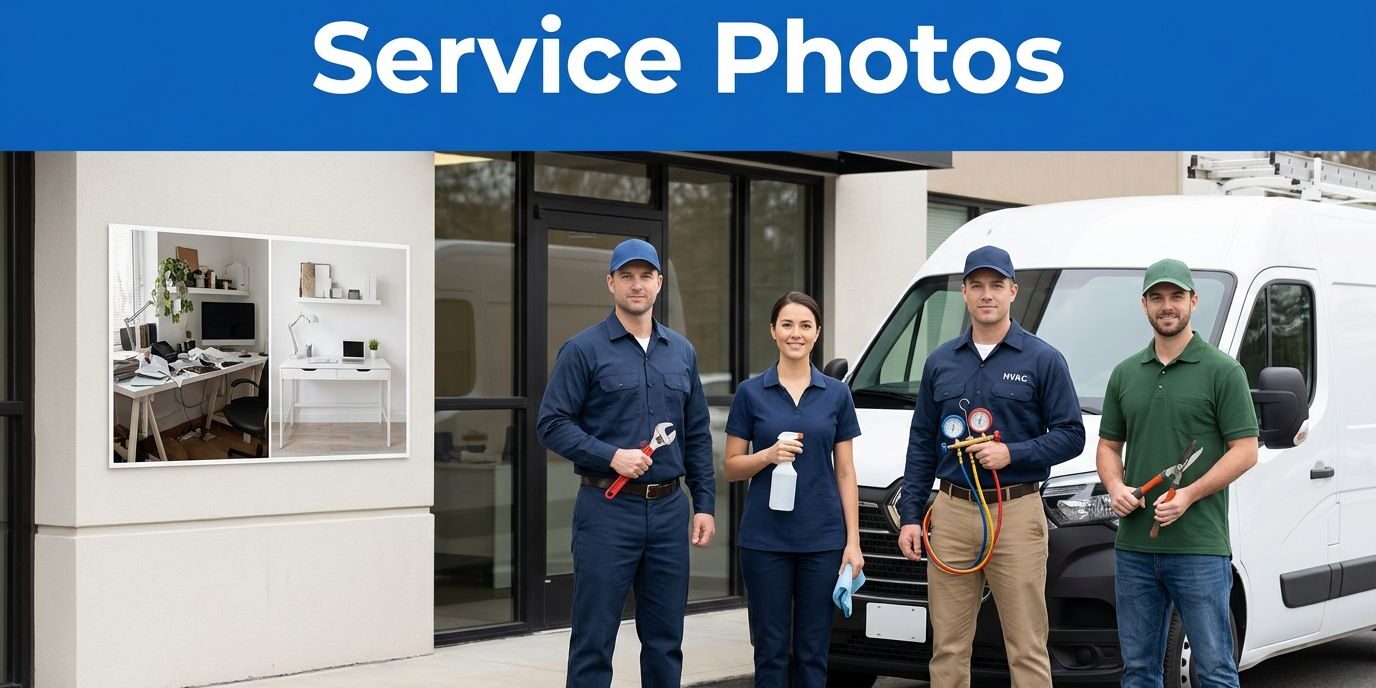
When I open a business listing on a Google Business Profile, I decide fast whether I trust it. The photos do most of that work before I read a single review, making visual content a critical factor in local SEO success.
For plumbers, cleaners, HVAC crews, landscapers, and other service pros, strong service business listing photos answer the same quiet questions every customer has. Whether they find you on Google Maps or via Google Search, potential clients want to know who will show up, what the work looks like, and if your business feels real.
Key Takeaways
- I start with authentic Business Profile photos, real people, and a clear exterior shot to boost local search ranking.
- The cover photo should show the actual business rather than a logo or stock image to improve brand awareness.
- Before-and-after photos build trust because they show proof, not promises.
- A current gallery matters more than a huge gallery, so I refresh my Business Profile photos often.
- The listing, website, and local profiles should tell the same story.
The photo mix I look for first
When I build or review a listing, I want a small set of images that covers the full customer experience. A strong gallery is less about volume and more about clarity.
| Photo type | What I want to see | Why it matters |
|---|---|---|
| Cover photo | The business, team, or best finished work | It shapes the first impression |
| Team photos | The owner, technicians, or office staff | It makes the business feel human |
| Exterior photos | Building front, sign, entrance, or branded vehicle | It helps customers recognize the place |
| Interior photos | Reception area, waiting room, or office | It shows what the visit feels like |
| At-work photos | Real service in progress | It proves the business is active |
| Before-and-after photos | The result of the service | It shows value in a way words can’t |
| Logo | A clean square image | It helps with brand recognition |
I usually start with the cover photo and the at-work images. Those two shapes tell the fastest story. Then I add team photos, exterior photos, and interior photos so the listing feels complete instead of thin. You can easily organize and upload these assets using the Business Profile Manager. Many people still refer to this platform by its legacy name, Google My Business, but the process remains the same for building trust with potential clients.
Google also gives clear guidance on business profile images, including photo and video management on its support pages. I keep Google’s photo guidance open when I review file sizes, cover image choices, and logo placement.
Real work beats staged marketing
The best photos for a service business listing show the service after, or while, it is being delivered. Think of these images as your product photos for a service business. I want to see the finished faucet installation, the spotless kitchen, the repaired HVAC unit, or the freshly trimmed yard. Those images calm hesitation because they feel honest.
For a plumber, that might mean a clean under-sink repair and a technician in uniform. For a cleaning company, it might be a bright kitchen, a polished bathroom, and a team member finishing the last pass. For an HVAC company, it could be a new condenser, a neat attic install, or a technician checking a thermostat. The details matter because customers know the difference between a real job and a staged pose.

I also want the listing to match the business website and the rest of the brand. When I need a feel for how a business should present itself online, I often browse recent website projects and compare the visuals, tone, and service focus. The photos should feel like they came from the same company, not from a different vendor. Consistent branding and high-quality imagery directly improve your search engine visibility on Google Search.
If the business has no storefront, I still look for useful visuals. A branded vehicle, an office entrance, a uniform, a truck wrap, or a technician on site all help. Even if you operate within a specific service area, a mobile service company can look rooted and credible without a public lobby.
A listing without real work photos feels like a showroom with the lights off.
Photo quality details that keep a listing polished
I care about clarity before style. A bright, sharp image of a real job always beats a filtered image that tries too hard.
Here is the standard I use for the best service business listing photos:
- Use JPG or PNG file formats for all uploads.
- Prioritize proper image resolution, keeping the cover photo around 1080 x 608 pixels.
- Use a square format for the company logo.
- Stay above 250 x 250 pixels for all gallery items.
- Keep file sizes under 5 MB to ensure quick loading.
- Avoid heavy filters, odd crops, and blurry screenshots.
I also avoid images that can confuse a customer. That means no stock images, no graphic-only cover images, no dark parking lot shots, and no awkward group selfies. The picture should answer a simple question quickly: “Is this the business I want to call?”
A few details help even more. I want clean uniforms, straight horizons, and enough light to show the work clearly. I want the office to look used, not fake. I want vehicles and signs to be readable without turning the photo into a generic advertisement.
When a business uses fresh photos consistently, the profile feels maintained. When the images drift out of date, the whole listing feels neglected. The visual story has to stay aligned with the actual business, especially after a remodel, a rebrand, or a staff change.
How often I refresh the gallery
I do not treat listing photos as a one-time task. I treat them like part of normal upkeep.
A good baseline is a few new images every month. In a busy market, I like a regular upload habit because new photos keep the profile current, help you rank higher in the local map pack, and give customers a better look at the business over time. I also aim for a total gallery that reaches 20 to 30 strong images across the main categories.
I update photos when something real changes. A new truck wrap matters. A new team member matters. A fresh office interior matters. Seasonal work matters too, especially for landscapers, roofers, HVAC companies, and cleanup crews. A snow-season image or a summer yard project can tell a better story than an old shot from two years ago.
Beyond your own uploads, you should monitor and encourage user-generated photos from satisfied customers. These authentic shots build trust and show prospects that others are actively engaging with your services.
Google’s own small business updates keep pushing fresh visuals for a reason. That matches what I see in local listings every day; stale photos make a business feel less active. Fresh images make the listing feel cared for and current, which is exactly what a nervous customer wants to see.
Mistakes I leave out of the gallery
A service listing loses trust fast when the photos tell the wrong story. I avoid a few common mistakes every time, because a cohesive gallery often correlates with more positive customer reviews.
- I do not use stock images that look polished but generic.
- I do not leave old team photos up after the staff has changed.
- I do not put logos or graphics in the cover image slot.
- I do not fill the gallery with dark, blurry, or crooked shots.
- I do not show a service area business with photos that could belong to any company.
I also keep the photos consistent with the website, the Google profile, and the rest of the local citations. Before your photos can become truly effective, you must verify Business Profile ownership to ensure you have full control over the gallery. If you are managing a multi-location brand, I recommend using the bulk upload feature to maintain consistency across all areas. If the profile says one thing and the website says another, customers notice the mismatch even when they cannot explain it. That is why I like to clean up the full picture instead of editing one image at a time.
If the listing needs a bigger reset, I do not guess my way through it. I use Contact Us for a free consultation when the website, profile, and photo set need to match better.
Frequently Asked Questions
Can I use stock photos for my business listing?
No, I strongly advise against using stock images because they feel impersonal and can damage customer trust. Authentic photos of your actual work, team, and location demonstrate that your business is real and help you stand out from competitors who rely on generic filler.
How many photos should I have in my gallery?
I recommend maintaining a gallery of 20 to 30 high-quality images to provide a complete picture of your services. Rather than just focusing on volume, ensure these images cover the full customer experience, including at-work shots, team photos, and finished project results.
How often should I update my photos?
I suggest adding a few new images every month to keep your profile active and relevant. Regularly refreshing your content signals to Google that your business is current, which helps maintain your local search ranking and shows potential clients that you are consistently busy and reliable.
Should I include photos if my business has no storefront?
Yes, photos are essential for service-area businesses to establish credibility. Even without a physical shop, you should upload images of your branded vehicles, uniforms, tools, and technicians on the job to prove your business is legitimate and ready to serve.
Conclusion
The best photos for a service business listing do one job well, they make the business feel real. Real people, real work, and a real location beat polished filler every time. Ultimately, a well-optimized Google Business Profile serves as the cornerstone of your local SEO strategy.
When your gallery showcases finished jobs, current staff, and a clear exterior, you turn passive viewers into active customers. Remember that the Business Profile photos you upload to Google Maps provide that critical first visual impression, which often decides whether a customer reaches out to you or keeps scrolling to a competitor.