

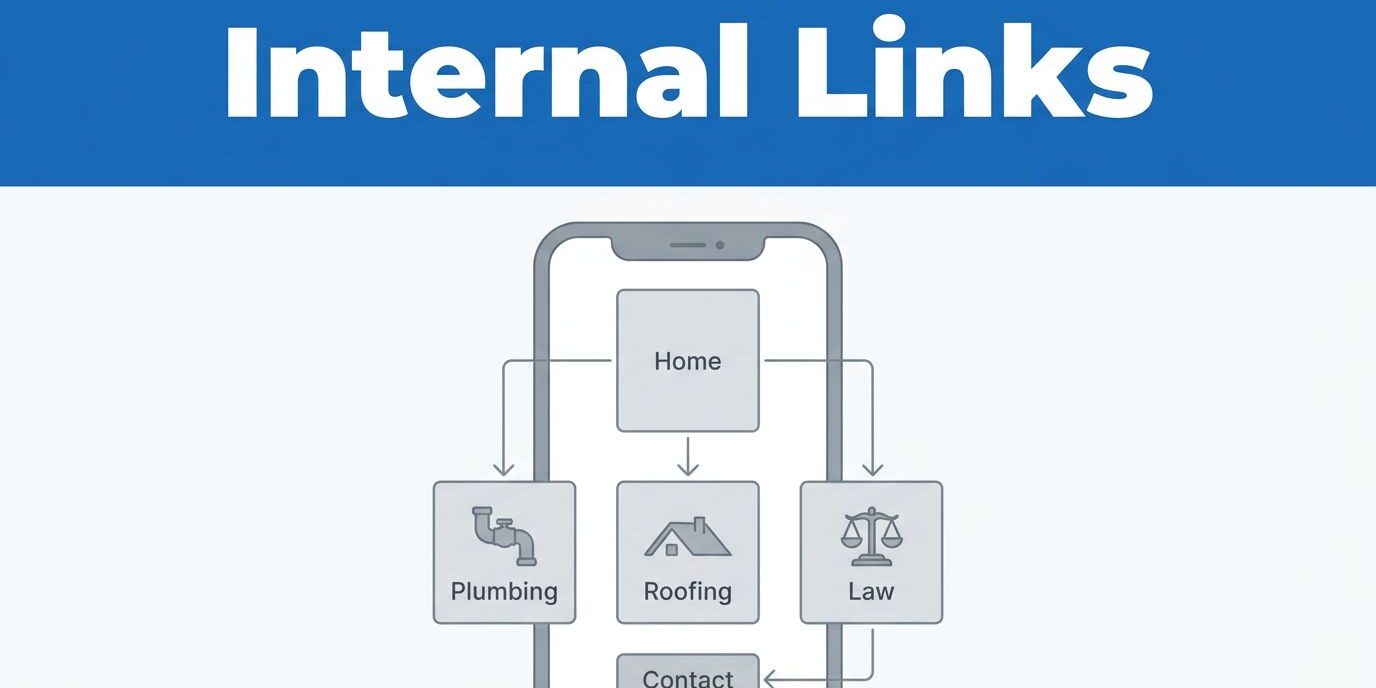
I have seen strong local service websites lose leads because visitors had to hunt for the next step. A good set of local service internal links, combined with a thoughtful internal linking strategy, keeps people moving toward a call, a quote, or a page that answers the last bit of doubt.
On a plumbing, roofing, med spa, or law site, every click should feel obvious. When the path feels random, people leave, and the site never gets a fair shot at ranking well in local SEO or turning attention into work.
I use the same rule on every local site I work on, connect the pages that help a visitor decide, then keep the path short enough for a phone screen. That starts with the basics.
Key Takeaways
- I link the homepage to core service pages first, then direct those pages to contact, FAQ, testimonials, and location content.
- I write anchor text that clearly names the service or destination page, because vague phrases like “click here” waste valuable optimization space.
- I keep the mobile path simple to improve the user experience, as most local searches happen on phones where clumsy navigation drives potential customers away.
- I review links during regular maintenance, because broken links, old hours, and outdated contact details can damage trust quickly.
- I treat internal link building as a fundamental part of my conversion work, rather than just a routine search engine optimization task.
Why internal links matter on local service websites
Strategic internal linking does more than move a visitor from one page to another. By refining your internal linking, you show users what to do next, while simultaneously helping search engines crawl and index your most important content.
On a local service site, this efficiency is critical because the customer journey is often brief. A visitor usually lands on your site with a specific problem in mind; they want to see a service, a location, a price range, or a contact method. If the site structure makes them think too hard, you risk losing the lead.
When I rebuild a site around touch-friendly navigation, I start with responsive website design services, because a layout that works on a phone makes every click easier to follow. A link that looks fine on desktop can feel crowded or hard to tap on mobile. By prioritizing this, I establish a solid link architecture that ensures search engines can navigate your site effectively. Furthermore, passing link equity through these internal connections boosts page authority, ensuring your core service pages rank better in local SEO results.

A local site also needs a clear internal path between trust pages and action pages. I want the visitor to move from service details to proof, then from proof to contact. That path feels natural because it answers questions in order.
The same logic applies to local intent. If someone clicks a city page, I want that page to connect to the exact service they searched for, rather than a generic homepage with no clear answer. The closer the link matches the search intent, the faster the page feels useful to the user.
The pages I connect first
When I approach internal linking for a local service site, I start by mapping out the pages that perform the heaviest lifting. A strategic approach to internal linking is far more effective than a long list of scattered connections. Building a site structure based on pillar pages and topic clusters helps organize content so that the most important information is always within reach.
I prioritize these pages first:
- The homepage, which serves as the primary hub for my topic clusters and introduces the main service areas to visitors.
- The primary service pages, because these act as the essential service pages that answer the specific questions behind every search.
- The location pages, as these location pages are critical for matching city-specific intent and providing necessary local proof.
- The testimonials or reviews page, because establishing trust is vital before a lead decides to call.
- The contact page, because it closes the loop when a visitor is ready to convert.
This hierarchy matters. I do not treat the homepage like a dumping ground for every link on the site. Instead, I use it as the main branch point, then allow the service pages to do the heavy lifting. I also use supporting blog posts to build topical authority, which helps reinforce the relevance of my pillar pages.
For example, a roof repair page should link to storm damage repair, emergency services, financing details, and the contact page. A plumbing page might connect to drain cleaning, water heater repair, and the estimate form. Each link should anticipate the customer’s next question.
I also ensure the link path stays aligned with the page receiving traffic from local SEO efforts. If a visitor lands on a page after clicking through a Google Business Profile, I make sure the content delivers the same service, city, hours, and phone number they expected. A mismatch makes the site feel less reliable.
When a site has broken paths or stale content, I fix those issues with web design and SEO maintenance before adding more links. More links do not help if the destination pages are weak.
How I write anchor text that sounds human
Anchor text should tell the truth in plain language. I avoid filler because visitors should know exactly where a link leads before they click. Using clear anchor text ensures that your site navigation remains intuitive for your users.
I prefer using localized anchor text that names the service, the location, or the next step. For example, “drain cleaning service in [City Name]” works better than “read more.” Similarly, “request a plumbing estimate” is more effective than “learn more.” The visitor should never have to guess about the value of the page they are about to visit.
A strong internal link is more than just a path for a crawler. These contextual links move a person toward the next decision, making them essential for high-converting websites.
Short anchor text usually works best on local service pages. Longer phrases can help when the destination requires more clarity, but I still keep them natural. If the anchor text sounds stuffed with keywords, it begins to look robotic and untrustworthy to your audience.
Here is the internal linking standard I use:
- If the link leads to a service page, I name the service clearly.
- If the link leads to proof, I name the specific type of proof.
- If the link leads to a contact page, I name the specific action.
That approach also helps with mobile reading. Short, clear phrases are easier to scan on a small screen, and that matters because local visitors often skim content between calls, errands, or job breaks.
I also avoid linking every mention of a word. Repetition makes the page noisy and distracting. A few well-placed links do the job much better than turning every paragraph into a chain of blue text.
Mistakes that weaken the structure
The biggest mistake I see is a mismatched internal linking strategy. A page can rank, but if it links poorly, the site still loses leads.
Duplicate city pages are a common problem. If every location page uses the same copy with only the city name changed, the links inside those pages do not add much value. I prefer to build distinct content silos where each city page connects to unique local proof, specific service descriptions, and contact options tailored to that area.
Another mistake is overusing the footer. While a footer can support navigation, it should not carry the entire website architecture. Your site structure relies on important pages being linked directly within the main content where they feel relevant and helpful to the user.
I also watch for outdated contact paths. If a link points to a page with the wrong phone number, old hours, or stale service details, trust slips fast. Business owners put a lot of effort into search and design, but one outdated page can undercut both.
Contact links matter too. If I want a second set of eyes on the structure, I perform an internal link audit or reach out via Contact Us for a free consultation. Sometimes the fix is a small one, like moving a service link higher on the page. Other times, the whole site map needs a reset.
I also avoid dead links, orphan pages, and pages that never receive any internal traffic. These issues harm crawl efficiency and confuse visitors. A local service site works best when every important page has a clear place in the flow.
Frequently Asked Questions
How many internal links should I place on a single page?
There is no set number, but I avoid linking every mention of a word to keep the page clean and readable. A few well-placed, relevant links that guide the visitor toward the next logical step perform much better than a page filled with excessive, distracting blue text.
Does anchor text really affect my local SEO ranking?
Yes, using clear and descriptive anchor text helps search engines understand the content of the destination page. By using localized phrases like “roof repair in Austin” instead of generic buttons like “click here,” you provide better context for both the user and the search crawlers.
Why do you prioritize location pages in your internal linking strategy?
Location pages are essential for matching specific city-based search intent to the services you offer. By linking these pages to your primary service and trust-building content, you ensure that visitors arriving from a local search find exactly the information they need to make a hiring decision.
How often should I audit my site’s internal links?
I recommend reviewing your links during regular maintenance or whenever you update your service details. Broken links, outdated phone numbers, or changed hours can damage user trust instantly, so keeping your pathways fresh is just as important as the initial setup.
Conclusion
The strongest internal links on a local service website do one simple job, they make the next step obvious. By strategically using internal linking, you guide visitors from specific service pages to your cornerstone content, effectively moving them toward a contact decision without making them work for it.
That matters because local visitors are usually ready to act. When you use semantic SEO to connect related topics, the path to conversion becomes clear, which significantly boosts your local SEO performance. If the path is intuitive, the site feels useful, but if the path is messy, even high quality traffic can slip away.
I treat internal link building like the hallway system in a building. When the hallways are direct, people get where they need to go and stay longer. When they are confusing, they leave early and never come back.