

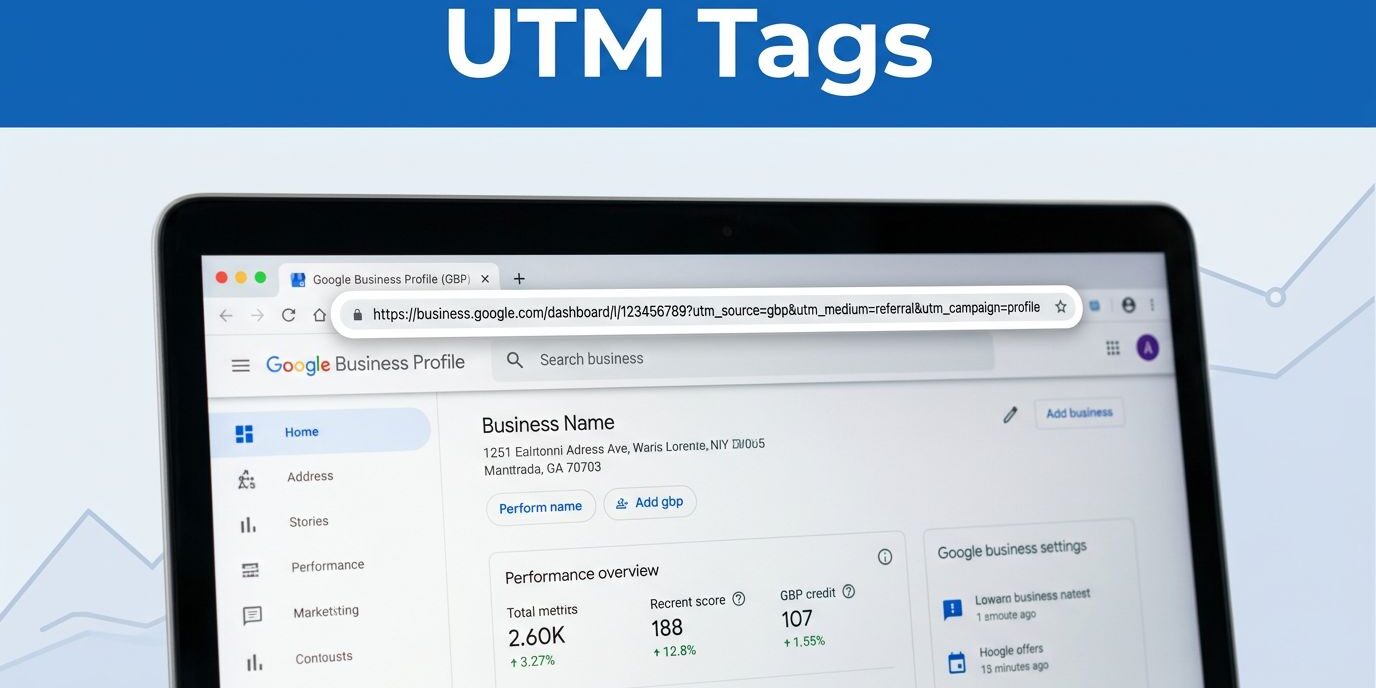
I no longer have to guess where my traffic originates because I consistently use UTM tags for every Google Business Profile link. Tracking these clicks allows me to see exactly which interactions lead to calls, form submissions, and bookings.
This level of insight is essential for any effective local seo strategy, especially when a profile generates significant views but the website data remains unclear. By implementing precise Google Business Profile UTM tags, I can accurately separate profile traffic from other sources to make data-driven decisions for my business.
Key Takeaways
- Accurate Attribution: Using UTM tags prevents Google Business Profile clicks from being miscategorized as direct or organic traffic in GA4, allowing for precise ROI measurement.
- Standardized Naming: Maintaining consistent naming conventions (e.g., source=google, medium=organic, campaign=gbp_location_linktype) is crucial for preventing data fragmentation and keeping reports clean.
- Performance Optimization: Tagging specific links—such as appointment, menu, or website buttons—helps you compare engagement across different locations and refine your content strategy based on real-world data.
- Technical Hygiene: Always verify that destination URLs do not contain redirects that strip tracking parameters, as broken redirects will render your UTM data useless.
Why I tag Google Business Profile links
I use UTM tags because the profile is often the first touch point. A person sees the listing, taps the website link, and lands on a page that should do one job. By using these tags, I gain clarity on my ROI tracking for every Google Business Profile I manage.
Without UTM tags, that visit can easily blend into organic traffic or other sources. In Google Analytics 4, this lack of detail makes it difficult to distinguish where visitors originated, often causing valuable engagement to be miscategorized as direct traffic. This makes it hard to tell whether my profile is pulling its weight. It also hides important patterns when I compare phone calls, form fills, and bookings.
I also use this data to compare multiple locations. If one branch receives more clicks on the appointment link, I can see that trend quickly and adjust the profile content, photos, or call to action accordingly. That kind of granular detail is essential when I run more than one location or service area.
For a plain-English refresher on how UTM parameters work, I like this URL tracking guide.
The UTM format I trust for local tracking
I keep the format simple. The more complex the tag, the easier it is to break later. To maintain clean data, I rely on a consistent set of utm parameters.
My basic setup uses three parts:
- utm_source: I set this as the campaign source to
google. - utm_medium: I set this as the campaign medium to
organic. - utm_campaign: I set this as the campaign name by location and link type, like
gbp_homepageorgbp_appointment.
I never leave campaign names vague. Using specific naming conventions is crucial, as a label like spring2026 tells me almost nothing, while gbp_tampa_appointment provides immediate clarity. I always use lowercase letters for my tags to prevent data fragmentation in Google Analytics.
If I am managing a multi-location business, I add the city or branch name to the campaign name. That way, I can compare results without sorting through a mess of similar reports. I also keep the same naming style across every location so the reports stay easy to read and simple to analyze over time.
How I add the tag inside Google Business Profile
I create these tracking links using a campaign url builder to ensure consistency across every source. I add the tag at the final destination URL and then paste that full version into the profile field I want to track. This process works perfectly for your primary website url, appointment link, menu link, or any other button you want to measure. You can even use this same strategy for links embedded within your Google posts to see exactly which updates drive the most traffic.
- I use a campaign url builder to generate the tagged version of my target page.
- I copy the complete URL, including all UTM parameters.
- I paste the tagged version into the appropriate field within the Google Business Profile edit screen.
- I save my changes, then I click the link myself to verify that the tracking parameters appear correctly in my analytics dashboard.
If the website behind the profile still needs work, I fix that before I trust the numbers. A weak page can hide the value of a strong listing, so I often pair this with responsive website design services and improving search engine visibility to ensure the user experience matches the quality of the traffic.
I only trust a tag after the final page loads cleanly and keeps the parameters intact.
That last part matters. If a redirect strips the tag, the data gets messy fast. BrightLocal has a helpful note on Google Business Profile UTM tracking, and that reminder about redirects is worth keeping in mind.
How I check the results without second-guessing myself
Once the tag is live, I give it time. I do not expect a full report five minutes later.
In Google Analytics 4, I look for the specific source, medium, and campaign name I set. When reviewing my GA4 reports, I verify the session source to ensure the setup is accurate and that the traffic is properly attributed. If the visit shows up without the tag, I check for a redirect, a typo, or a copied link that lost part of the query string.
I also cross-reference this data with Google Search Console to get a clearer picture of how users arrive at my site. By comparing these metrics, I can better assess user engagement and refine my conversion tracking. If clicks rise but leads do not, the page or offer likely needs work. In that case, the UTM tag still helped me identify the gap.
This is where consistency pays off. When every location uses the same naming pattern, I can compare months, branches, and link types without guessing. I can also spot seasonal shifts faster, which helps when one location gets busier at certain times of the year.
Common mistakes that blur the data
The biggest mistake I see is failing to maintain consistent naming conventions. One month the source is listed as google, the next it is Google, and later it is gmb or the legacy term Google My Business. This lack of consistency makes reporting significantly harder than it should be.
Another frequent issue is tagging a URL that is not the canonical url. If I do not verify the destination first, I risk creating broken links or duplicate data. I also avoid stacking extra tracking on top of a URL that already redirects several times, as this can strip away the UTM parameters entirely.
When managing Google products within your listing, it is vital to keep your tracking organized. I avoid sending every profile click to the same page forever. A booking link should point to your booking page, a menu link should go directly to the menu, and a primary website link should land on the page that answers the first question a customer has.
When the landing page and the profile link work together, the numbers start to tell a clear story. That is when the data becomes useful instead of noisy. It also makes it much easier to determine whether a conversion drop is caused by the listing itself, the landing page experience, or both.
Frequently Asked Questions
Why does my Google Business Profile traffic show up as direct traffic without UTM tags?
Without UTM parameters, Google Analytics cannot distinguish between someone typing your URL directly into a browser and someone clicking a link from your Business Profile. Applying UTM tags forces the traffic to be labeled according to your custom source, medium, and campaign parameters, ensuring it is tracked correctly.
Can I use the same UTM tags for every location if I manage multiple businesses?
It is highly recommended to include a unique identifier, such as the city or branch name, within your campaign parameter. This allows you to differentiate between locations in your reporting while maintaining a consistent structure for easier analysis.
What should I do if my UTM tags are disappearing after I add them?
If your tags are disappearing, it is likely that your website has a redirect (such as an HTTP to HTTPS redirect or a plugin-based redirect) that strips query parameters from the URL. You should test your tagged link by pasting it into a browser and checking if the URL remains intact when it reaches the final landing page.
Is it necessary to tag links inside Google Business Posts as well?
Yes, tagging links within your posts is a great way to see which specific offers or updates are driving the most engagement. By using unique campaign names for your posts, you can measure the effectiveness of your content updates alongside your primary website and booking links.
Conclusion
I treat Google Business Profile UTM tags like labels on moving boxes. Without them, I know traffic exists, but I cannot see what is inside.
Once I tag the links, keep the naming clean, and check the destination page, I get reporting I can trust. Furthermore, by pulling this data into Looker Studio, I can transform raw numbers into actionable insights. Using consistent UTM parameters across every Google Business Profile link ensures that my data stays clean, helping me improve one location at a time and focus my energy where it counts.
If you want help tightening the website behind your profile, you can reach out through Contact Us. A strong click path starts with a clear, tracked link and ends with a page that earns the visit.